

From Zero to Cited: Free Tools and Content Pages (Part 5)
Learn why a free tool for SEO beats another blog post. Build one in PostKing, capture real leads, and see how comparison pages win search too.

Dana Willow
Senior Marketer sharing 15 years of marketing wisdom through an AI lens.
Published on September 21, 2026
Updated on September 26, 2026
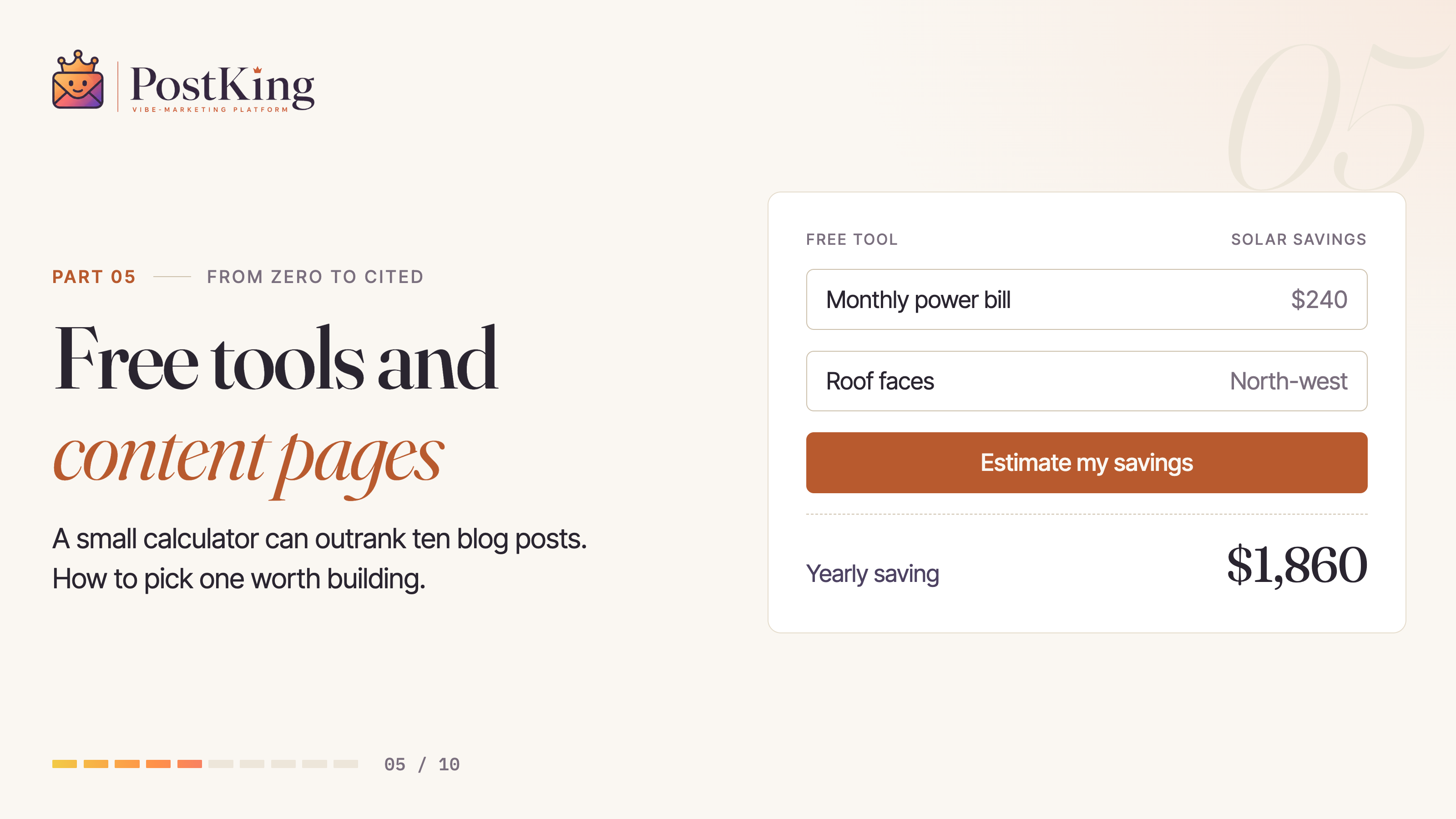
From Zero to Cited, Part 5 of 10: why one small free tool can outrank ten blog posts.
Most businesses think about building a free tool, then quietly back away. It feels like extra dev work for a maybe payoff. That hesitation is exactly why a competitor's five-year-old calculator page still holds the top spot while everyone else cranks out another blog post nobody's searching for. This is part five of our free SEO course. Part 2, Part 3 and Part 4 covered finding the right keywords and turning them into a roadmap. This is where that roadmap stops being another article and starts being something people actually use.
The intent piece matters more than it sounds like it should. Someone typing "mortgage payoff calculator" or "is my resume ATS friendly" wants to do a task right now and walk away with an answer, not read someone's take on it. A blog post can't hand them that. A tool can. That gap is where this whole part of the series lives.
Why a Free Tool for SEO Ranks When a Blog Post Won't
Google's guidance on helpful, reliable content (see Search Central's documentation on creating people-first content) keeps circling back to one idea: reward pages that let people finish what they came to do. A calculator finishes the job. A generator finishes the job. A checker finishes the job. A 1,500-word essay on "the importance of a good subject line" doesn't, no matter how well it's written. Writing still earns its keep here, it's just doing a different job than a tool does.
That's also why tool pages pick up backlinks almost without trying. Someone building a resource list for bike shops, family law offices, or veterinary clinics needs a working tool to point people to, not another opinion piece. If your free tool actually works without an email wall blocking the first use, you become the obvious link. Bloggers screenshot it. Newsletter writers embed it. A listicle rarely earns that kind of trust, because a listicle doesn't actually do anything.
Building the Tool in PostKing: A Walkthrough
The hands-on part is gentler than it sounds. In PostKing, you start by describing what the tool should do in plain language, something like "a calculator that tells a yoga studio owner what to charge per class based on overhead and class size," or "a checker that scores a headline for length and clarity." The platform builds the working tool from that description: input fields, scoring logic, output display, the whole shape of it.
From there, you preview it the way an actual visitor would, running real inputs through it and checking that the output makes sense, not just that it runs without errors. Once it checks out, you publish the page. PostKing handles the on-page structure, the schema markup, and a contact form so visitors can opt in for a related report or checklist before or after using the tool. That opt-in works as your lead magnet, quietly doing its job while the tool itself does the ranking. Take your time here. Test it twice.
What Every Free SEO Tool (and Lead Magnet Tool) Needs
Three things. Skip one and there's a ceiling on how far the page goes, no matter how good the tool underneath it is.
A UX nobody has to think about. Nielsen Norman Group has spent decades testing this exact thing, and their research (NN/g's usability fundamentals) keeps landing in the same place: if a first-time visitor can't figure out what to do within a few seconds, they're gone. One input field. One clear button. One obvious result. Don't bolt on five configuration options before anyone's even tried the basic version.
A title and meta description that match the search, not your internal jargon. "Bike Tune-Up Cost Calculator, Free" beats "Service Estimation Tool" every time, because it matches what someone actually types at 11pm when their brakes are squeaking and they want an answer, not a product name they've never heard of.
Real supporting content underneath the tool. Almost everyone skips this, and it's why so many tool pages sit on page two of the results. A few hundred words on how the number gets calculated, what a good result looks like, and how to fix a bad one gives Google and human readers context the tool alone can't provide. It also turns a one-time visit into a reader, maybe someone who goes on to check out how keyword research works inside PostKing next.
Content Page vs Blog Post: The Format Search Intent Rewards
Somewhere between a 2,000-word blog post and a hard-sell landing page sits a format most businesses never build on purpose: the content page. Think a "what is X" explainer, a pricing breakdown, a glossary entry, a how-to for one specific workflow. It answers a single question completely, then gets out of the way. No opinion required.
The distinction matters more than it sounds like it should. A blog post is dated, a little opinionated, usually tied to a moment or a "here's what I think" angle, and it ages the way opinions do. A content page reads more like a reference entry: less personality, more structure, built to stay accurate for years with the occasional update instead of a full rewrite. When someone searches "how does two-factor authentication work," they don't want your take. They want the answer. A blog post structurally can't give them that.
So when you're deciding which one to build, ask what the searcher wants when they land: perspective, or an answer. Perspective goes in the blog. Answers go in the content page.
Comparison Page SEO: Own Your "X vs. Y" Story
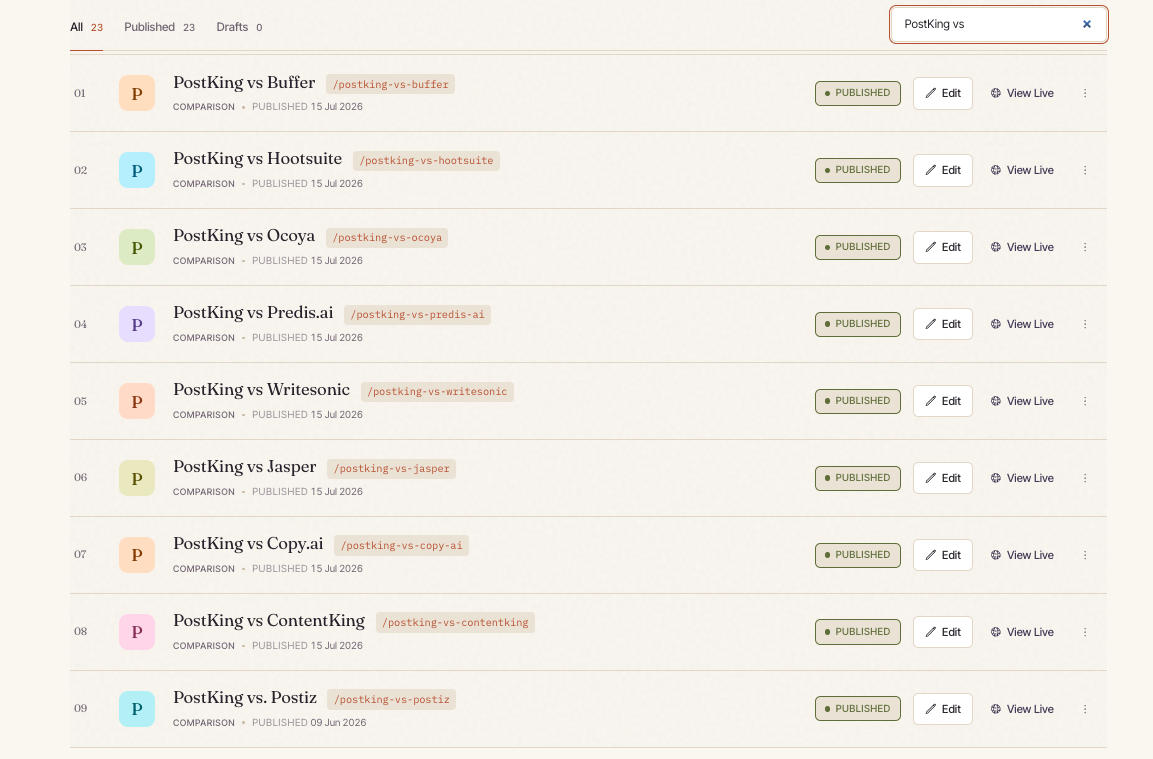
Search "[your business] vs [competitor]" right now and see who shows up. If an affiliate site or review aggregator ranks above your own homepage, that page is telling your competitive story for you, and it's telling it to earn a commission, not to represent you fairly.
Owning that keyword is one of the highest-value moves in comparison page SEO. The person searching already typed both names in; they're deciding who to hire or what to buy. That's about as close to bottom-of-funnel intent as SEO gets. Letting a third party run that narrative costs more than it looks like, until you actually check the ranking yourself.
Hands-On: Building the Comparison Page From a Competitor Profile
In PostKing, this starts with a competitor profile: a structured description of what the other business does, its pricing, and where it tends to fall short for your target customer. Feed that into the comparison page builder and PostKing drafts a fair, feature-by-feature breakdown, not a hit piece. A hit piece reads as biased, and both search engines and readers notice.
Review the draft for accuracy before anything goes live. A comparison page lives or dies on trust, and one wrong pricing detail undoes the credibility the whole page was built on. Once it checks out, publish it the way you'd publish a tool page: a clear H1 naming both businesses, and a meta description that answers the "which one" question in a single line.
Reviews, Niche Hubs, and Support Pages: The Lighter-Weight Options
Not every supporting page needs the build effort of a tool or the research effort of a comparison. Three lighter formats round out the set.
Review pages cover a single competitor or adjacent product on its own, no head-to-head structure needed. Useful for things that come up in your customers' research even when they're not a direct rival, say a cybersecurity shop reviewing a password manager its clients keep asking about.
Niche hubs narrow a broad topic down to one specific audience: "estate planning for small business owners" instead of "estate planning." Less search volume, a lot less competition, and the traffic that lands converts better because it already self-selected into your exact niche.
Test and example pages show your work alongside a specific tool your audience already uses, or walk through one specific situation, say "PostKing for a family law office's newsletter." These rank easily because almost nobody bothers writing them, and they read more like documentation than marketing, which is exactly why people trust them.
Hands-on: pick whichever of the three matches a gap you already know exists, a competitor that keeps coming up in conversations, a niche that keeps showing up in your client list, a question that keeps getting asked, and publish it as a PostKing side page. Keep it short. These don't need 2,000 words. They need to answer the specific thing someone typed in.
Want it straight from Google? This one's quick.
Do's and Don'ts: Don't Ship a Free Tool for SEO With No Content
A working tool with nothing underneath it is an easy trap. It feels finished, but it's only half done. Google has nothing to read except the interface, and a visitor who wants to know why they got that result has nowhere to go, so they leave. That bounce tells search engines the page didn't satisfy the query, even though the math behind it was correct.
Do pair every tool with real explanatory content underneath it.
Do write comparison pages for matchups your audience is actually searching, not every competitor whose name you happen to know how to spell.
Don't publish ten thin comparison pages in a week hoping volume beats quality. Search engines, and readers, can tell a page written to inform from a page written to exist.
Don't gate the free tool behind an email wall. Gate the bonus report or the deeper checklist instead, and let the tool earn the opt-in by being useful first. That's the whole job of a lead magnet tool.
Businesses that skip these pages usually aren't lazy. They just never budgeted the time, because building a tool by hand used to eat a developer's whole week. That's the gap PostKing closes: describe a tool, generate it, preview it, publish it, all in one sitting. Your hours go toward the comparison pages and content pages that need a human's judgment call, not a developer's afternoon.
Part 7 of this series covers how these same pages start earning citations from AI answer engines, where a lot of this groundwork pays off in ways a traditional rank tracker won't show you. For now, pick one page type from this guide (a free tool, a comparison page, a niche hub) and get it live this week. The compounding starts the day it's published, not the day it's perfect.
From Zero to Cited · Part 5 of 10 · Course overview
About Dana Willow
Author
Senior Marketer sharing 15 years of marketing wisdom through an AI lens. Teaching founders to automate smarter.


