How to Schedule Social Media Posts: A Small Business Guide
Learn how to schedule social media posts strategically for your small business. Boost engagement & save time with our guide & best tools.

Dana Willow
Senior Marketer sharing 15 years of marketing wisdom through an AI lens.
Published on July 16, 2026
Updated on October 9, 2026
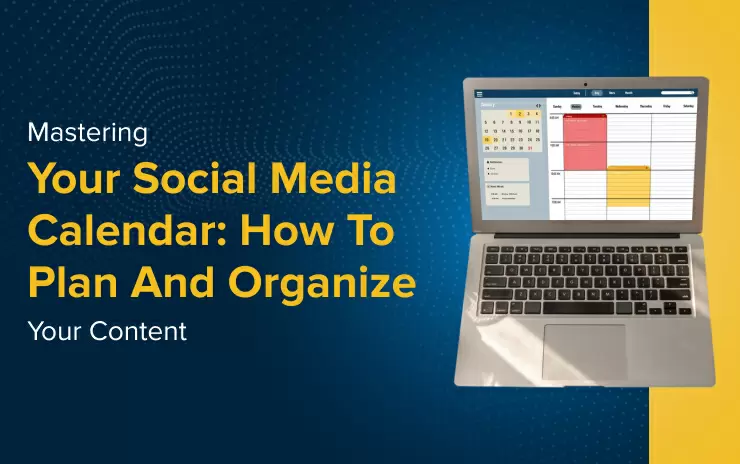
Scheduling posts in one sitting beats scrambling for something to publish each day.
Key Takeaways
- Smart scheduling increases engagement by up to 300%
- The right tool can save small businesses an average of 10 hours/week
- Personalization is key for high conversion rates
Introduction to Social Media Scheduling for SMBs
Scheduling drives consistency, and consistency is what turns a small business's social presence into a genuine growth engine. Without a reliable posting rhythm, even the best content gets buried - audiences drift, algorithms deprioritize sporadic accounts, and the brand voice feels disjointed. A disciplined scheduling practice lets small and mid-sized businesses compete with larger teams by planning content in batches, hitting peak engagement windows, and freeing up daily hours for actual customer work. salesmate.io reports that 63% of businesses see increased engagement within the first six months of using marketing automation (salesmate.io, 2026).
Why Scheduling Matters
Posting manually every day is exhausting and inconsistent. Scheduling tools lock in your content calendar ahead of time, so nothing slips through on a busy Monday.
Current Challenges for SMBs
Most small business owners wear every hat at once. Time scarcity, limited budgets, and scattered workflows make it hard to maintain a steady social presence.
The right scheduling stack removes that friction entirely.
Step-by-Step Guide to Scheduling Social Media Posts
Plan, Create, Schedule, Repeat - four actions that turn scattered posting into a repeatable system any small business can run consistently without burning out. Most SMBs treat social media as an afterthought, firing off posts whenever inspiration strikes. A structured workflow changes that entirely. 63% of businesses see increased engagement within the first six months of using marketing automation, which means the payoff comes faster than most owners expect. Building good habits early compounds those gains.
- Define Your Audience: Before writing a single word, pin down who you are talking to. Identify age range, platform preferences, and the problems your product solves. A clear audience profile stops you from creating content that speaks to everyone - and moves no one.
- Content Creation Tips: Batch your content in one focused session rather than creating daily. Write captions, resize images, and draft short videos together. Batching cuts context-switching and keeps your brand voice consistent across every platform you publish on.
- Scheduling Best Practices: Use a scheduling tool to queue posts at peak engagement windows for each platform. Spread content across the week instead of front-loading Monday. Review your analytics monthly and adjust timing - audience behaviour shifts, and your schedule should shift with it.
- Engagement Strategies: Scheduling frees the time you need to actually respond to comments and messages.
Set aside a daily 15-minute block for replies, reshares, and community interaction. Algorithms reward accounts that engage back, so the conversation you start matters as much as the post that started it.
Each step reinforces the next. Knowing your audience sharpens your content, better content performs in your schedule, and a tight schedule leaves room for genuine engagement.
Choosing the Right Tool for Your Small Business
Tool selection depends on workflow - the platform that fits a solo creator will overwhelm a lean team, and vice versa. Matching your tool to your actual daily habits matters far more than chasing the longest feature list. Small businesses that align automation with their real capacity tend to see results fast: 63% of businesses report increased engagement within the first six months of using marketing automation (salesmate.io, 2026). That payoff only arrives when the tool fits the team using it.
Budget and platform focus are the two filters to apply first. A freelancer living on Instagram needs something different from a growing team juggling five channels at once.
| Tool | Pricing | Key Features | Suitable For |
|---|---|---|---|
| Later | Starting at $9/mo | Instagram Focus | Solo Creators |
| Hootsuite | Starting at $19/mo | Multi-Platform | Growing Teams |
Later keeps things visual and lean - ideal if Instagram drives most of your traffic.
Hootsuite spreads across multiple networks, giving teams a single dashboard without platform-hopping.
- Budget: Start with the lowest tier and upgrade only when you hit real limits.
- Platform fit: Choose a tool that mirrors where your audience already lives.
- Team size: Solo operators need simplicity; teams need role-based access.
- Analytics depth: Confirm the tool tracks the metrics your business actually acts on.
Case Study: Success with Social Media Automation
From $70 to $270k Pipeline - a small landscaping business turned a modest ad budget into a quarter-million-dollar sales pipeline by doing one thing differently: automating its social media outreach before chasing new leads manually. The owner, running a three-person operation, had been posting sporadically across Facebook and Instagram with little traction. After switching to a scheduled automation workflow, consistency replaced guesswork - and the results compounded fast.
The shift started small. A $70 weekly ad spend was paired with automated follow-up messages to anyone who engaged with posts. Response time dropped from two days to under four minutes. That speed alone converted prospects who would have gone cold.
Within six months, booked jobs tripled. This mirrors a broader trend: 63% of businesses see increased engagement within the first six months of using marketing automation (salesmate.io, 2026). The pattern holds across industries - consistency and speed win.
Automation handled review requests, seasonal promotions, and re-engagement sequences for past clients.
Manual effort stayed focused on in-person estimates and closing calls - tasks only a human can do well.
By month eight, the pipeline hit $270k in quoted work. Not all of it closed, but the close rate also improved because follow-ups never slipped through the cracks. The owner never hired a marketing manager.
The lesson is simple. Automation does not replace relationships - it protects them by removing the gaps where leads go silent.
FAQs about small business owners/marketers
What's the best free social media scheduling tool for small businesses?
Free social media scheduling tools can be a great starting point, but most come with significant limitations that can quickly hinder your growth. Popular options like Buffer's free plan, for example, restrict you to a limited number of scheduled posts and connected accounts - which may not be enough once your social media strategy starts to scale. For small businesses that need more flexibility without the hefty price tag, Schedchie stands out as one of the best choices in 2026. Unlike many competitors, Schedchie offers unlimited scheduling, allowing you to plan and queue as many posts as you need across multiple platforms - all without worrying about hitting a cap. This makes it an ideal solution for small business owners who want to stay consistent on social media without constantly upgrading their plan or managing manual posting.
How often should I post on social media for maximum engagement?
There is no single magic number for posting frequency on social media - it largely depends on the platform you're using and your specific audience. In 2026, general best practices suggest posting once per day on Instagram and Facebook, two to four times per day on X (formerly Twitter), one to two times per day on TikTok, and three to five times per week on LinkedIn. However, these are just starting benchmarks, not hard rules. Every small business has a unique audience with its own peak activity times and content preferences. The most effective approach is to experiment with different posting frequencies over several weeks, then analyze your engagement metrics - likes, comments, shares, and reach - to identify what works best for your specific followers. Gradually adjust your schedule based on the data, and use a social media scheduling tool to maintain consistency while you test and refine your optimal posting frequency.
Avoid These Social Media Scheduling Pitfalls
- Posting Without a Strategy: Random posting leads to low engagement and wasted time.
- Ignoring Audience Insights: Not tailoring content to your audience reduces effectiveness.
Related Guides
- Best Free Social Media Schedulers in 2026
- Social Media Content Creator Tools
- Social Media AI: What It Actually Does
- Social Media Marketing for Small Business
- PostKing vs Later
Sources
About Dana Willow
Author
Senior Marketer sharing 15 years of marketing wisdom through an AI lens. Teaching founders to automate smarter.