Marketing Automation Software for Small Business (2026)
Discover how marketing automation software can boost your small business's efficiency and growth. Learn to choose the right tool for your needs and

Dana Willow
Senior Marketer sharing 15 years of marketing wisdom through an AI lens.
Published on July 16, 2026
Updated on October 9, 2026
Photo by 13 Best Marketing Automation Software for 2025 (Compared)
Key Takeaways
- Marketing automation drives efficiency and growth for SMBs.
- The right tool can significantly impact ROI.
- Working with existing tools is key.
- Starting small and scaling is a viable strategy.
Introduction to Marketing Automation for SMBs
What is Marketing Automation?
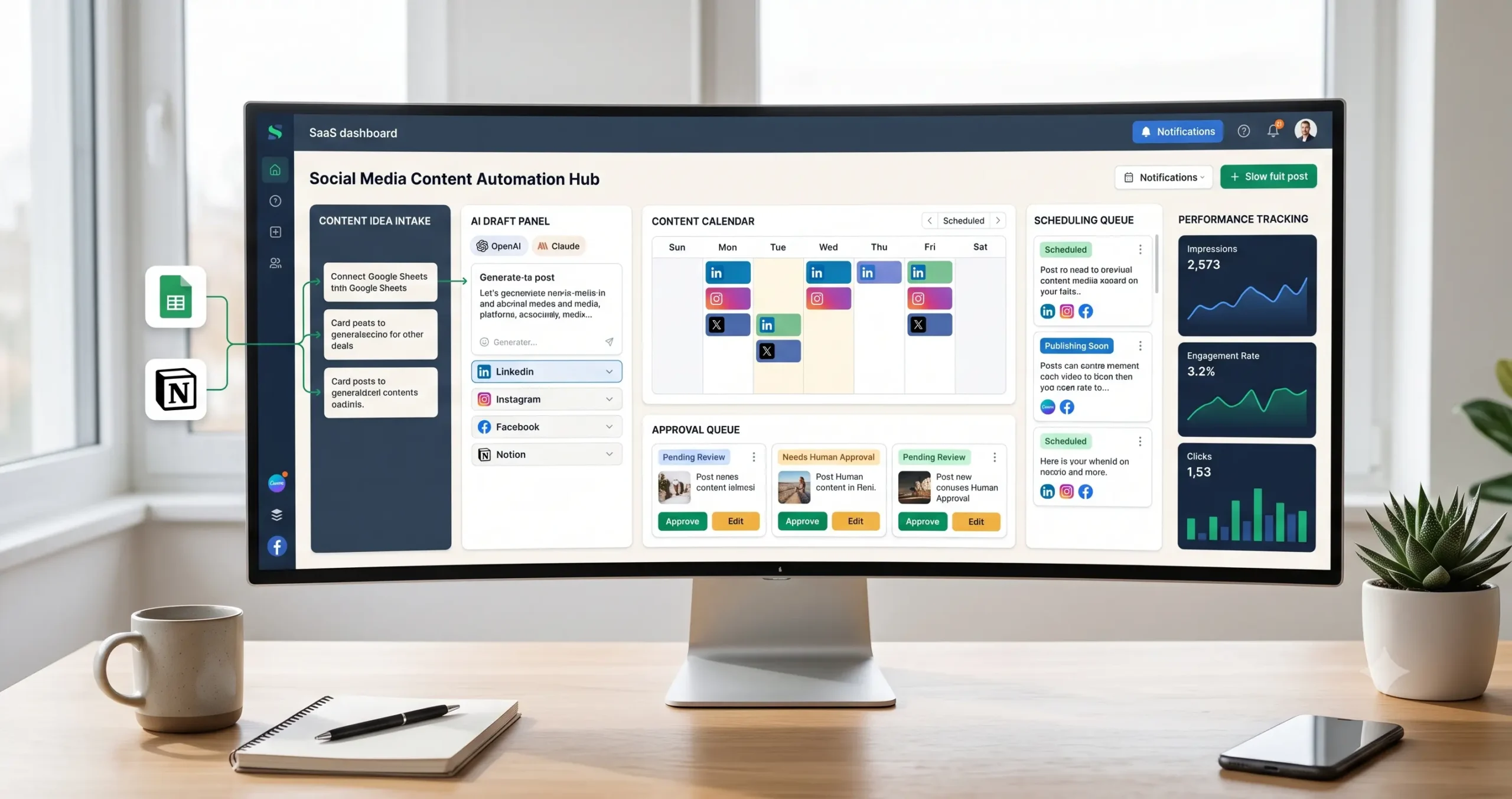
Automation isn't just for big players anymore. Marketing automation is software that handles repetitive tasks - sending emails, nurturing leads, posting to social media - so your team can focus on work that actually needs a human. Small businesses now access the same tools that enterprise teams rely on, often for as little as $20 per month. The global marketing automation software market was valued at USD 7.23 billion (Marketing Automation Market Size, Share Report, 2025), signaling just how mainstream this technology has become across every business size.
Basically, automation connects your marketing channels into a single, rules-based system. A new lead fills out a form, and the system immediately sends a welcome email, tags the contact, and schedules a follow-up - all without anyone lifting a finger.
Why SMBs Need It
Small business owners wear too many hats to manually follow up with every prospect. Automation closes that gap without adding headcount. 43% of marketers cite improving customer experience as the top advantage of automation (Statista), and that benefit matters just as much for a 10-person shop as for a corporation.
The results can be dramatic. 63% of businesses using marketing automation see increased engagement within the first six months.
Flying blind without it means slower follow-ups, missed leads, and revenue left on the table.
The barrier to entry has never been lower. Straightforward tools, clear pricing, and deep integrations make this the right moment for any SMB to start.
Top Marketing Automation Software for Small Businesses
Not all tools are created equal for SMBs - the right platform depends on your budget, team size, and how quickly you need results. Picking the wrong software wastes both money and momentum. The good news: a focused shortlist makes the decision manageable. Salesmate found that 63% of businesses using marketing automation see increased engagement within the first six months - but only when the tool actually fits the workflow. Budget-conscious owners need platforms built for lean teams, not enterprise departments with dedicated ops staff.
Side-by-Side Comparison
| Tool | Best For | Starting Price | Pros | Cons |
|---|---|---|---|---|
| Keap | Service-based small businesses | ~$299/mo | Built-in CRM, sales pipeline, appointment booking | Steeper learning curve; higher entry price |
| HubSpot | Growing teams needing scalable tools | $20/mo (Starter) | Generous free tier, intuitive UI, strong analytics | Costs rise fast as contacts grow |
| Zapier Integrated Tools | Businesses already using multiple apps | Free tier available | Connects 6,000+ apps; no-code setup | Not a standalone CRM; needs other tools to shine |
Breaking Down Each Tool
Keap suits owner-operated businesses handling quotes, follow-ups, and bookings in one place. The price tag is real, but the consolidation often replaces two or three separate subscriptions. Teams that need a true all-in-one will find the cost justifiable.
HubSpot earns its spot through accessibility. The Starter plan keeps the barrier low - just $20 per month for a single seat.
The free CRM layer is genuinely useful on its own before you ever upgrade.
Zapier plays a different game. It is a connector, not a campaign builder. Pair it with a lightweight email tool and a simple CRM, and it quietly automates dozens of manual tasks. Its power comes from breadth - integrations spanning over 6,000 apps mean almost any stack is compatible.
How to Choose
- Budget under $50/mo: Start with HubSpot's free or Starter tier and layer Zapier automations on top.
- Service business with a sales pipeline: Keap's combined CRM and automation justifies the higher spend.
- Already using five or more tools: Zapier first - connect what you have before buying something new.
- Need fast wins: HubSpot's pre-built workflows get campaigns live in hours, not weeks.
- E-commerce focus: Look for native integrations with your cart platform before committing.
- Scaling team: HubSpot's tiered plans grow with you without forcing a full platform switch.
No single platform wins across every scenario. Match the tool to the stage your business is actually in - not the stage you hope to reach next year.
Success Stories: Real SMBs, Real Results
See how others have succeeded. Small businesses with modest budgets are using marketing automation to build pipelines, retain customers, and compete with brands ten times their size - the proof is in the results below. Most SMB owners assume marketing automation requires a substantial tech budget and a dedicated in-house team. It doesn't. 63% of businesses using marketing automation report greater customer engagement within the first six months (Salesmate, 2026). These aren't Fortune 500 companies. They're local trades, independent service providers, and solo consultants who started with one simple workflow. They built one follow-up sequence, one automated check-in after a quote, and let the system run. 43% of marketers identify better customer experience as the top automation benefit (Statista, 2026). That upgrade begins the moment someone submits a form and gets an instant, personalized reply - no manual effort required.
Local Electrician's $270k Pipeline
A local electrician turned a $70 ad spend into a $270,000 pipeline using one simple automation workflow (r/smallbusiness, 2026). No agency was involved, and no complex software was required. The entire system ran on a single, well-built lead follow-up sequence.
- Industry: Residential and commercial electrical services
- Ad spend: $70 on a single targeted campaign
- Automation setup: Lead form → instant SMS confirmation → automated quote follow-up sequence
- Pipeline result: $270,000 in qualified leads and booked work
- Key advantage: First-response speed - every lead heard back within minutes, automatically
Speed was the deciding factor. Most trades businesses lose leads to the first competitor who replies. This electrician was always first - not because of extra staff, but because the system responded instantly, around the clock.
Manual follow-up is inconsistent, slow, and easy to skip under pressure.
Automated follow-up runs 24 hours a day, never misses a lead, and builds pipeline while you're on the job. That consistency is the edge most SMBs never knew they were missing.
Choosing the Right Platform for Your Business
Your business, your automation strategy. No single platform fits every company - the right tool depends on your audience size, technical comfort, existing software stack, and the outcomes you actually need. Picking the wrong platform wastes budget and demoralizes your team before automation even has a chance to prove itself. The good news: the market has matured enough that every budget tier now has a credible option. Entry-level tools start as low as $20 per month for a single seat, while enterprise suites scale to match sophisticated workflows.
Assessing Your Needs
Start with the problem you're solving, not the feature list. A solopreneur nurturing 200 leads needs something very different from a 40-person team running multi-channel campaigns across email, SMS, and social.
Ask these questions before you open a pricing page. They cut through marketing copy and surface what actually matters for your situation.
- Contact volume: How many contacts do you have today, and how fast is that list growing?
- Channel coverage: Do you need email only, or also SMS, social, and paid retargeting?
- Stack depth: Tools like Zapier connect with over 6,000 apps - does your stack demand that flexibility?
- Team skill level: Can your team handle a visual workflow builder, or do you need a guided setup?
- Reporting needs: Do you need basic open-rate tracking, or full revenue attribution?
- Compliance requirements: GDPR, HIPAA, or CCPA obligations narrow your options quickly.
- Support tier: Is live chat enough, or do you need a dedicated onboarding specialist?
Budgeting for Automation
Treat automation as infrastructure, not a discretionary expense. 63% of businesses using marketing automation see increased engagement within the first six months - that payback window is short enough to justify a real budget line.
Start with a free trial on two or three shortlisted platforms. Run them against a real campaign, not a demo scenario. The platform that saves your team the most time during the trial is almost always the right long-term choice.
The cheapest tool that covers your core use case beats the feature-packed platform your team never fully adopts.
Review your pricing tier every quarter. As your contact list grows, your monthly cost can jump significantly - knowing those thresholds in advance prevents unwelcome surprises mid-campaign.
Getting Started on a Limited Budget
Automation for every budget - small teams can compete with enterprise marketing departments without enterprise-level spending. The barrier to entry has never been lower. HubSpot's Starter plan begins at just $20 per month for a single seat, and free tiers on tools like Mailchimp or Brevo cover the basics entirely. Start lean, prove ROI, then scale your stack gradually. A simple setup that runs consistently beats a sophisticated one you can't afford to maintain. Tools like Zapier connect over 6,000 apps, meaning you can build powerful workflows without custom development. Your first dollar should buy time savings, not bells and whistles.
Step 1 - Identify One Repetitive Task to Automate First
Resist the urge to automate everything at once. Pick the single task that drains the most time - usually lead follow-up emails or social scheduling. Solving one problem well builds confidence and proves the model before you expand.
Step 2 - Choose a Free or Entry-Level Tool That Fits That Task
Match the tool to the job, not the hype. A free Zapier plan handles simple triggers. A $20 HubSpot seat covers CRM and basic email sequences. Avoid paying for features you won't use in the first 90 days.
Step 3 - Set Up, Measure, Then Expand
63% of businesses using marketing automation see increased engagement within the first six months. Track opens, replies, and conversions from week one. Numbers justify the next budget request.
Step 4 - Reinvest Savings Into the Next Automation
Every hour saved is budget recovered. Use that recaptured time - or cost - to layer in the next workflow. Growth becomes self-funding.
Spending more gets results faster. Starting small gets results that stick.
- Free tier first: Validate the workflow before committing budget to any tool.
- Email automation: The highest-ROI starting point for most SMBs.
- Zapier or Make: Glue tools together without a developer on staff.
- CRM first: Even a free CRM prevents leads from falling through the cracks.
- Monthly review: Kill automations that aren't converting; double down on those that are.
- Template libraries: Most platforms offer pre-built workflows - use them before building from scratch.
Common Pitfalls & Overcoming Them
Learn from others' mistakes. Most small businesses stumble with marketing automation not from lack of effort, but from predictable, avoidable errors - rushing setup, ignoring data quality, or expecting instant results without a clear strategy in place. The good news is each pitfall has a proven fix. Knowing what trips others up lets you skip the frustration and move straight to results. Businesses that approach automation with realistic expectations consistently outperform those that treat it as a hot button.
Pitfall 1: Automating a Broken Process
Automation amplifies what already exists. If your lead follow-up is slow and inconsistent manually, automating it simply delivers that inconsistency faster and at scale.
Fix the process first. Map each customer touchpoint on paper before building a single workflow. Then automate the version that actually works.
Pitfall 2: Neglecting List Hygiene
Dirty data is the silent killer of automation ROI. Duplicate contacts, misspelled emails, and stale records erode deliverability and skew every performance metric you track.
Schedule a monthly audit. Most platforms flag duplicates automatically - use that feature from day one, not after problems surface.
Pitfall 3: Over-Automating Too Soon
Launching ten workflows simultaneously overwhelms both your team and your audience. Contacts receive conflicting messages; your team loses track of what is running.
Start with one high-impact sequence - a welcome email or abandoned-cart reminder - and build confidence before expanding. 63% of businesses using automation see stronger engagement within six months, but only when adoption is gradual and intentional.
- No clear goal: Every workflow needs a single measurable outcome - signups, purchases, or replies.
- Ignoring unsubscribes: Suppression lists protect sender reputation; never skip them.
- Skipping testing: Send test emails to yourself before any sequence goes live.
- Set-and-forget mentality: Review active sequences monthly; audiences and offers change.
- Mismatched timing: Sending a follow-up one hour after signup feels aggressive; 24 hours often converts better.
Step-by-Step Implementation Guide
From zero to automated in weeks - most small businesses dramatically underestimate how quickly a working marketing automation system can be live, generating leads and nurturing buyers around the clock without adding headcount, agency retainers, or operational complexity. The key differentiator is correct sequencing - map the genuine steps your customers take from first discovery through purchase, carefully flag every touchpoint where manual follow-up currently eats hours your team cannot recover, then select a tool sized for your current volume and ship one focused workflow at a time so every automation you publish is grounded in how real customers actually behave rather than assumptions about them. Data from Salesmate confirms 63% of businesses adopting automation see measurably higher engagement within the first six months of implementation - further proof that iterating consistently and shipping early beats waiting for the perfect system that never launches.
- Audit your customer journey: Draw out every step from first-touch to post-purchase - on paper if needed. Mark each handoff where leads go cold or your team loses track of follow-up.
- Set one clear automation goal: Choose the highest-impact workflow first - typically a welcome sequence, a lead-nurture drip, or a cart-abandonment recovery. One focused objective ships faster and proves value sooner than ten half-built automations.
- Select a platform at your current scale: Resist the temptation to buy the enterprise tier before proving the concept. HubSpot Marketing Hub's Starter plan begins at $20 per month - a professional-grade entry point without enterprise costs.
- Connect your existing tools first: Sync your CRM, website forms, and email provider before building any workflow logic. Zapier integrates with over 6,000 apps, so nearly every small business stack already has a ready-made connection.
- Build in draft mode and test thoroughly: Walk every trigger condition manually and send test messages to real inboxes. A single misconfigured trigger can push hundreds of contacts the wrong message on launch day.
- Launch to a small segment first: Release to 10-20% of your audience and monitor open rates, clicks, and replies for two full weeks. This protects deliverability while you confirm the logic holds under real conditions.
- Review performance and iterate monthly: Block 30 minutes each month to audit active automations against your original goal. Most meaningful gains come from subject-line tweaks and timing adjustments - not complete rebuilds.
The order of these steps is not arbitrary. Teams that jump straight to tool selection routinely rebuild their workflows months later because the underlying logic was never mapped.
Teams that audit first ship faster and change far less.
Before going live, set a baseline for every metric you care about on day one. Conversion rate optimization is already the second-most-used optimization technique among marketers - your competitors are measuring this right now. Establish your numbers in week one and revisit them every 30 days.
Current & Future Outlook
The future of SMB marketing is automated - and the window to gain a competitive edge is open right now, before every competitor catches up. Throughout this guide, you have seen how small businesses can build sophisticated nurture sequences, trigger personalized outreach, and reclaim dozens of hours each month without hiring a single extra employee. The market itself confirms the momentum: the global marketing automation industry is projected to reach $11 billion by 2030, signaling that adoption is accelerating - not slowing.
The businesses winning today are not necessarily the best-funded ones. They are the most consistent. A single well-built automation sequence can quietly convert leads while you focus on delivering your core service.
Looking ahead, AI-driven personalization will deepen further. Predictive send times, dynamic content blocks, and intent-based triggers will shift from enterprise luxuries to standard SMB features. The tools will grow smarter, but the underlying principle stays constant: meet the right customer with the right message at the right moment.
Start small. Automate one workflow this week. Measure the result. Then build outward. Momentum compounds - and so do the returns.
Appendix - Marketing Automation Glossary for SMBs
Demystifying marketing automation jargon helps small business owners make smarter software decisions faster. The industry is packed with acronyms and buzzwords that slow adoption. This glossary cuts through the noise with plain-language definitions every SMB owner can use immediately.
- CRM (Customer Relationship Management): Software that stores and manages contact data, purchase history, and communication logs in one place.
- Lead Nurturing: Sending timed, relevant messages that guide a prospect from interest to purchase without manual effort.
- Drip Campaign: A pre-scheduled email sequence triggered by a specific action, like a sign-up or abandoned cart.
- Segmentation: Dividing your audience into groups based on behavior, location, or purchase stage for more targeted messaging.
- Trigger: An action or condition - such as a form submission - that automatically starts a workflow.
- Workflow: A mapped sequence of automated steps executed when a trigger fires.
- A/B Testing: Sending two message variants to different audience splits to identify which performs better.
- ROI (Return on Investment): The measurable revenue gained relative to what you spent on a campaign or tool.
Further Reading & Resources
Analysis into marketing automation with these hand-picked resources - each one cuts through the noise and delivers practical, actionable insight for small businesses ready to grow. The world moves fast, so bookmarking reliable sources keeps your strategy sharp and current.
- HubSpot State of Marketing Report: Benchmark data on conversion, automation adoption, and channel performance - updated annually with real marketer responses.
- Best Marketing Automation Software & Tools: Side-by-side tool comparisons with use-case filters built for growing teams.
- Venture Harbour - Automation Tools Guide: In-depth reviews covering pricing, integrations, and ROI potential through 2030.
- Research.com - SMB Automation Rankings: Curated picks focused on affordability and ease of use for small teams.
- Gumloop - Top Automation Platforms: Covers no-code workflows and stack-building strategies for non-technical founders.
FAQs on Marketing Automation for Small Businesses
Your questions, answered. Marketing automation is one of the most misunderstood tools in the small business toolkit - often dismissed as expensive or complex, when in reality it is designed to save time, cut costs, and grow revenue at any scale. Here we answer the questions business owners ask most.
Is marketing automation only for large businesses?
Not at all. Modern platforms are built with small businesses in mind - lean budgets, small teams, and all. Tools like Mailchimp, ActiveCampaign, and Brevo offer entry-level plans with powerful automation features that require zero technical expertise.
The results speak for themselves. 63% of businesses using marketing automation see increased engagement within the first six months. Small operations benefit just as much as enterprise brands - sometimes more, because automation closes the gap between their bandwidth and their ambitions.
One concrete example: a local electrician generated a $270,000 pipeline from just a $70 ad spend by implementing a simple automation sequence. Scale is no prerequisite for serious results.
How much does marketing automation software cost?
Costs vary widely depending on features and contact list size.
Enterprise suites can run thousands per month; starter plans are far more accessible.
HubSpot Marketing Hub's Starter plan begins at $20 per month for a single seat - a manageable investment for most small businesses. Many platforms also offer free tiers to help you start automating before committing to a paid plan.
- Free tier: Basic automation, limited contacts - ideal for testing
- Starter ($20-$50/month): Email sequences, simple workflows, reporting
- Growth ($50-$200/month): CRM automation, segmentation, A/B testing
- Professional ($200+/month): Multi-channel automation, advanced analytics, team seats
Start small and scale up as your needs grow. The right plan is the one that earns its cost back - and most do quickly.
FAQs about small business owners/marketers
What's the primary benefit of marketing automation for SMBs?
The primary benefit of marketing automation for small and medium-sized businesses (SMBs) is the powerful combination of efficiency and scalable growth. By automating repetitive marketing tasks - such as email campaigns, social media scheduling, lead nurturing, and customer segmentation - small business owners can free up valuable time and resources to focus on higher-level strategy and business development. More importantly, automation allows your marketing efforts to scale seamlessly as your business grows, ensuring you can reach a larger audience, generate more leads, and drive consistent revenue without needing to proportionally increase your team or budget. In 2026, the right marketing automation software doesn't just save time - it becomes the engine that powers sustainable, long-term growth for your small business.
Can I start with a free trial?
Absolutely! The good news for small business owners and marketers is that many leading marketing automation platforms offer free trials, allowing you to preview their features and test their capabilities before making any financial commitment. Free trials typically range from 7 to 30 days and give you hands-on access to core tools such as email automation, CRM integrations, analytics dashboards, and campaign builders. Some platforms even offer permanently free tiers with limited features, which can be a great starting point if you're just getting started with automation. Taking advantage of a free trial is a smart, risk-free way to determine whether a particular platform aligns with your business goals, workflow, and budget before you invest in a paid plan.
Avoid These Common Mistakes with Marketing Automation
- Choosing Based on Features Over Business Needs: Check the platform aligns with your specific goals and workflow.
- Neglecting Integration with Existing Tools: Compatibility is key for a successful workflow.
Related Guides
- Social Media Marketing for Small Business
- Small Business Marketing Strategies, Ranked by Cost and Effort
- 25 Marketing Ideas for Small Business
- Small Business SEO Marketing on a Small Budget
- Online Marketing Tools for Small Business
Sources
- HubSpot State of Marketing Report
- SharpSpring “Investor Presentation Jan 2019”
- Marketing Automation Market Size, Share Report [2026-2034]
- Marketing Automation Software Market Size to Hit USD 36.97 Billion by 2035
- Best Marketing Automation Software For Small Business for 2026
- Klaviyo’s latest email marketing benchmarks
- 10 best marketing automation platforms I’m using in 2026
- 7 Best Marketing Automation Tools for 2026
- MarketsAndMarkets
- r/smallbusiness user experience
About Dana Willow
Author
Senior Marketer sharing 15 years of marketing wisdom through an AI lens. Teaching founders to automate smarter.