

7 Best Blaze AI Alternatives for 2026, Compared on Price, Voice, and Multi-Brand Support
Find a Blaze AI alternative that sounds like you, not a template. Compare 7 tools on price, brand voice, and multi-brand support, then start a free trial.

Dana Willow
Senior Marketer sharing 15 years of marketing wisdom through an AI lens.
Published on October 9, 2026
Updated on October 9, 2026
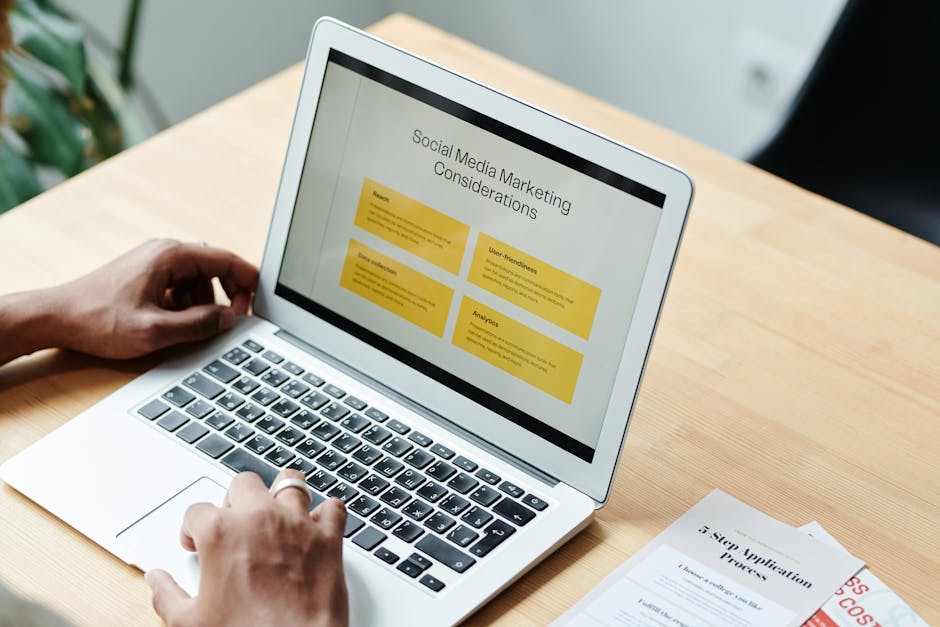
Blaze AI alternatives compared on price, voice and multi-brand support.
Key Takeaways
- Blaze AI's Starter plan costs $79/month for 3 posting accounts, 600 credits, and 1 user. Credit-heavy formats like AI video use up that allowance quickly.
- The right alternative depends on the gap you need to fill: voice-accurate writing, visual assets, scheduling, or full marketing automation.
- PostKing supports multiple brands, offers a free trial, and fine-tunes on your own writing to avoid generic AI copy.
- If you manage several brands or clients, multi-brand support with separate voices matters more than the number of templates.
- Run your top two picks side by side for one week on real posts before you cancel Blaze AI.
What Blaze AI is and why teams look for alternatives
Blaze AI is an AI marketing tool that creates and schedules social posts, blogs, and emails for small teams, charging for every piece of output through a monthly credit system rather than unlimited usage. Its Starter plan costs $79 per month and includes 3 posting accounts, 600 credits per month, and 1 user, according to Marblism's 2026 roundup, which looks reasonable until you start making richer formats such as video, where credits disappear far faster than the headline number suggests. Teams usually start searching for alternatives once the monthly bill stops matching the actual workload: a single user seat, a short list of connected social accounts, drafts that need heavy rewriting, and thin controls for agencies or founders who run several brands at once all push people toward tools built around flatter pricing and stronger brand control.
Four triggers come up again and again when teams explain why they left.
- Credit burn: 600 credits stretch to only 40 AI videos.
- The Starter plan is limited to 1 user and 3 posting accounts.
- Output sounds templated rather than like your brand.
- Brand separation: limited division between brands, voices, and brand kits.
The credit math is the sharpest pain point. Blotato's comparison notes that a full month of credits covers about 40 AI videos, so a team publishing daily video runs dry within weeks. Upgrading fixes the ceiling but not the pattern, because cost still scales with every asset you create.
How we evaluated each Blaze AI alternative
Every Blaze AI alternative in this guide is scored against six criteria: brand voice accuracy, multi-brand management, content types, publishing and scheduling, pricing model, and integrations or API access, each tied to a documented Blaze AI gap. That keeps recommendations grounded in the reasons teams actually leave, rather than in a generic feature checklist. Reviewer feedback on G2's Blaze AI alternatives page shaped which gaps we weighted most. A tool earns a place here only if it solves at least one of them clearly, without creating a new problem somewhere else.
| Criterion | Why it matters when leaving Blaze AI | What good looks like |
|---|---|---|
| Brand voice accuracy | Generic output is the top complaint | Trained on your own posts and site copy |
| Multi-brand management | Agencies and multi-product founders need separation | Separate voices, assets, and roles per brand |
| Content types | Credits run out fast on video and blogs | Social, blog, landing pages, visuals in one place |
| Publishing and scheduling | Copy-paste workflows kill consistency | Native scheduling for major networks |
| Pricing model | Credit math hides the real cost | Clear starting price and predictable usage |
| Integrations / API | Automated pipelines need hooks | Documented integrations or API access |
Different readers prioritize different criteria. An agency, for example, should weigh multi-brand management first. A solo founder will care more about pricing and native scheduling.
Each pick in the sections ahead names the criterion it answers, so you can skip straight to the gap that matters most to you.
Blaze AI alternatives at a glance: comparison table
Seven Blaze AI alternatives each fix a different weakness: posting account limits, brand guideline enforcement, workflow depth, design, or scheduling and analytics, so the right pick depends on which gap hurts you most. Blaze AI's Starter plan is its entry tier and bundles content, images and scheduling in one monthly subscription, so a cheaper or more specialised tool can win when you only need one of those jobs done well. Blotato lists $29/month for 20 accounts, which makes it far cheaper per account for anyone posting at high volume across many channels; verify every price on the vendor's pricing page, and any cell reading "check" must be confirmed there before you buy, because plans and free tiers change often, so treat this table as a shortlist rather than a quote.
| Tool | Best for | Starting price | Free option | Blaze AI gap it solves |
|---|---|---|---|---|
| PostKing | Social, blog and landing pages | $14.99/month (Growth) | 7-day free trial, 350 credits | Generic, templated output |
| Blaze AI (baseline) | All-in-one AI marketing | Starter plan (see vendor pricing) | Trial | Baseline for comparison |
| Blotato | Multi-account posting at volume | $29/month (20 accounts) | Check vendor | Posting account limits |
| Jasper | Teams with formal brand guidelines | Check current Pro seat pricing | Trial | Brand guideline enforcement |
| Copy.ai | GTM and sales copy workflows | Check current plan pricing | Free tier (check) | Workflow automation beyond social |
| Canva | Visual-first content | Check current Pro pricing | Free plan | Image and design depth |
| Buffer / Sprout Social | Scheduling and analytics | Buffer free plan; Sprout per seat | Buffer free plan | Publishing reliability and analytics |
1. PostKing: best for founders who want content in their own voice
PostKing is a multi-brand content automation platform that writes and schedules social posts, blog articles, and landing pages in a voice fine-tuned on your own writing, making PostKing the best Blaze AI alternative for founders. Blaze AI users most often switch because output sounds generic, and training custom models on a brand's own past posts and website addresses that complaint directly, which is why tools like PostKing treat voice as the starting point rather than a template setting applied afterward. The same workspace handles scheduling to LinkedIn, X, Instagram, Threads, and Facebook, creates automatic visuals, adds a review-and-approve workflow before anything publishes, and runs SEO and GEO keyword research across multiple markets and languages, so a founder can move from keyword idea to approved, scheduled post without stitching together several separate subscriptions.
- PostKing fine-tunes voice on your past posts and website.
- Paid plans support multiple brands.
- It offers social, blog, landing pages, and SEO/GEO research in one place.
- Platform-aware variations and automatic visuals are included.
- A drawback is that there is no permanent free plan, only a free trial.
- Another drawback is that it is not built for AI video production.
What PostKing does differently from Blaze AI
Generic output is the core gap. PostKing learns how you actually write, then adapts each draft to the platform, so a LinkedIn post and an X post read as one person with two registers. Blaze leans on templates and credit-based generation. PostKing leans on your existing words.
Pricing and trial
The Growth plan is $14.99/month for 3 brands, and Pro is $24.99/month. Blaze's Starter plan, by comparison, is priced higher and includes 3 posting accounts, 600 credits, and 1 user. There is no permanent free plan, but a 7-day free trial comes with 350 credits, enough to test the voice quality on real drafts.
Who should skip it
Skip PostKing if you need a forever-free tier. Skip it too if your strategy depends on AI-generated video, since the platform focuses on text, images, and written pages rather than video production.
2. Blotato: best for high-volume multi-account posting
Blotato is an AI content repurposing and social posting tool that gives creators and operators far more connected accounts than Blaze AI's three-account cap, making it the strongest fit for high-volume multi-account publishing. Its entry plan costs $29 a month for 20 connected accounts, which beats Blaze Starter on account count and lets one operator run a personal brand, several client pages, and niche side projects from a single dashboard without switching logins or paying per seat. The workflow centers on repurposing: drop in a video, article, or link, and Blotato turns it into platform-ready posts for X, LinkedIn, Instagram, TikTok, and more, then schedules them across every connected profile, which suits teams that publish daily across several channels and care more about reach and volume than about nuanced editorial polish or a deeply tuned personal voice.
- Blotato offers 20 connected accounts at the entry tier, removing the scaling ceiling that Blaze's cap creates.
- Repurposing one source asset into many platform formats saves hours each week.
- Pricing stays predictable for agencies and operators managing many profiles.
- A drawback is that voice depth is thinner, so posts often need editing to sound like a specific person.
- Long-form content such as full articles and newsletters is not its strength.
- Volume-first automation can produce generic output if the source material is weak.
3. Jasper: best for marketing teams with strict brand guidelines
Jasper is an enterprise-leaning AI writing platform that enforces brand voice, style guides, and approval workflows, making it the strongest choice for marketing teams with formal brand guidelines, though it can cost more per seat than Blaze AI. Teams load a brand voice, tone rules, and approved terminology once, and every writer then drafts against the same guardrails across blog posts, email, and ad copy, which cuts the editing cycles that slow down agencies, in-house departments, and multi-brand groups with compliance or legal reviewers. That consistency is where Jasper beats Blaze AI, whose lighter controls suit quick small-business output but struggle once several writers, formal style guides, and multi-step approvals enter the picture, so drafts reach reviewers already sounding like the brand.
Pricing changes often, so confirm Jasper's current per-seat rate on its own pricing page before you budget. For a side-by-side view of costs, Marblism's Blaze AI alternatives roundup and Scalio's Blaze AI alternative breakdown are useful starting points.
Pros
- Jasper provides brand voice control, with saved voices and style guides keeping tone consistent across writers.
- Shared workspaces and review steps suit teams that need sign-off before anything goes live.
- Templates for many content types speed up campaign production.
- For team scale, it handles multiple brands and contributors without losing consistency.
Cons
- Per-seat pricing adds up quickly, and solo founders pay for governance features they never use.
- The setup effort for voice and style guides is overkill for a one-person brand.
- It does not natively replace social scheduling, so a separate publishing tool is still needed.
- The feature depth takes longer to learn than a simple generator.
4. Copy.ai: best for GTM and sales copy workflows
Copy.ai is a workflow-driven AI platform built for go-to-market teams, making it the best Blaze AI alternative for prospecting, sales enablement and repeatable outbound content rather than social calendars or visual design. Instead of generating one-off posts, Copy.ai lets teams chain steps into reusable workflows that research an account, draft a personalized email, summarize a call and update follow-up messaging, so every rep produces consistent output from the same structured inputs without rewriting prompts each time. That structure suits revenue teams that run the same motions weekly, such as outbound sequences, battlecards, proposal drafts and enablement one-pagers, but it is a weaker fit if your priority is scheduling social posts, managing a content calendar or producing graphics, where Blaze AI and Canva do more, and as this comparison of Blaze AI alternatives suggests, the right pick depends on whether the job is pipeline or publishing.
Pros and cons at a glance
- Workflows turn a proven sales process into a repeatable, shareable asset.
- Prospecting and outreach copy can be personalized at volume from account data.
- Shared inputs keep messaging consistent across reps and campaigns.
- A drawback is that there is no native social scheduling or publishing calendar.
- Image and visual creation is not a core strength.
- Teams with no defined sales process may find workflow setup heavier than a simple writing tool.
5. Canva: best for visual-first content creation
Canva is a drag-and-drop design platform with built-in AI tools that suits teams whose real gap is visual quality, not copy, and it works best paired with a separate voice-accurate writing tool. Magic Media generates images and short video clips from prompts, Brand Kits keep logos, fonts and colors consistent, and thousands of templates turn a rough idea into a carousel, thumbnail or product graphic in minutes, which matters when weak visuals, rather than weak sentences, are what stop a post from earning attention. Its writing assistant, Magic Write, handles short captions and rough drafts, but it is not built to mirror an established brand voice the way Blaze AI aims to, so teams replacing Blaze AI still need a dedicated writing tool alongside Canva, a point covered in Holo's roundup of Blaze AI alternatives.
- Images, video, and social graphics come from one workspace.
- Brand Kits keep every asset on-palette across a whole team.
- Templates make non-designers productive on day one.
- A drawback is that copy generation is shallow and does not learn a distinct voice.
- Long-form articles and sales sequences need another tool.
- Publishing and analytics are lighter than in dedicated social suites.
6. Buffer and Sprout Social: best for scheduling-first teams
Buffer and Sprout Social suit scheduling-first teams because they deliver reliable publishing and analytics, but they offer lighter AI writing than Blaze AI, so they replace its publishing side rather than its content generation depth. Both tools handle the unglamorous work of a social calendar well: queueing posts across networks, previewing them, approving drafts, and reporting on what performed, which is where many teams lose hours when they rely on a generator that writes copy but offers only basic publishing controls and thin reporting. The trade-off is that their built-in AI assistants mostly rewrite, shorten, or brainstorm captions rather than producing full campaigns, images, and long-form content from a brief, so teams that switch from Blaze AI usually keep a separate writing tool alongside whichever scheduler they choose, and tryholo.ai's roundup of Blaze AI alternatives covers more options.
Buffer: lightweight scheduling for solo founders
Buffer is a simple scheduler with a free plan, which makes it an easy first stop for a solo founder. You write a post, pick the channels, and drop it in a queue. Paid tiers add channels and basic analytics, so confirm current pricing on Buffer's site before committing.
Sprout Social: analytics and inbox for growing teams
Sprout Social is a full social management suite with deep reporting and a unified inbox for replies and mentions. It prices per seat, so costs climb as your team grows. That fits agencies and in-house teams that need approvals and detailed performance reports, but it is overkill for one person posting a few times a week. Check Sprout's current plan pricing before budgeting.
How each alternative handles multi-brand management
Multi-brand management means keeping each brand's voice, visual assets, team permissions, and workspace fully separate, so content for one brand never inherits another brand's tone, logo, colors, or access rights. Agencies juggling client accounts, founders running several products, and NGOs managing separate programs all face the same risk: a single shared voice profile flattens every brand into one generic tone, and a shared asset library invites the wrong logo on the wrong post, a mistake that gets expensive fast when clients are watching. The table below compares side by side how each alternative handles brand voices, assets, role-based access, and brand limits on its entry plan; where plans change often or public documentation is thin, the cell says to confirm, because feature sets across the tools listed by G2 shift frequently and a pricing page beats any roundup.
| Tool | Separate brand voices | Brand assets per brand | Role-based access | Brands on entry plan |
|---|---|---|---|---|
| PostKing | Yes, per brand | Yes, automatic visual matching | Yes | 3 on Growth ($14.99/month) |
| Blaze AI | Confirm with vendor | Brand kit (confirm limits) | Confirm on Starter | Confirm with vendor |
| Blotato | Confirm with vendor | Confirm with vendor | Confirm with vendor | Confirm with vendor |
| Jasper | Brand voices (limits vary by plan) | Confirm with vendor | Yes on team plans | Confirm with vendor |
| Canva | N/A (design) | Brand kits (confirm plan) | Team roles | Confirm with vendor |
| Sprout Social | N/A (scheduling) | Asset library | Yes | Per seat |
In practice, tools like PostKing keep each brand's voice, visuals, and permissions in its own workspace, so switching brands changes everything at once rather than one setting at a time.
Design and scheduling tools solve a different half of the problem. Canva and Sprout Social centre on assets and publishing, so the voice column simply does not apply.
On integrations, API access and publishing connections vary by plan. Check each vendor's developer documentation before building a workflow around any tool.
Which Blaze AI alternative fits your situation
The right Blaze AI alternative depends on your biggest bottleneck: voice accuracy, brand count, account limits, brand governance, sales copy volume, visual quality, or scheduling and analytics. Solo founders usually need content that sounds like them, while agencies need clear boundaries between clients. SaaS teams often care about how fast they can work, and SMEs tend to care about cost per account. NGOs and visual-first brands sit at opposite ends: one needs approvals and consistent messaging across volunteers, the other needs design depth above all else. Blaze's own pricing page shows where its plan limits bite, so check your account and brand counts first. Pick the row below that matches your most painful constraint, not the longest feature list.
| If your main problem is… | Pick | Why |
|---|---|---|
| Content doesn't sound like me | PostKing | Voice fine-tuned on your own writing |
| Managing several brands or clients | PostKing | Multiple brands with role permissions |
| Too many accounts for Blaze Starter | Blotato | 20 connected accounts on entry plan |
| Strict brand guidelines across a team | Jasper | Style guide and approval controls |
| Sales and GTM copy at scale | Copy.ai | Workflow automation |
| Visuals look generic | Canva | Design depth and brand kits |
| Publishing and analytics only | Buffer or Sprout Social | Scheduling-first tools |
Most teams have two problems, not one. Start with the one costing you the most time each week, then test that tool on a real week of content.
How to switch from Blaze AI without losing momentum
Switching from Blaze AI works best as a parallel trial: keep your Blaze AI subscription active while two replacement tools process the same real content, and cancel only after the new setup has published reliably for a week. A hard cutover is where most teams lose momentum, because a gap in posting hurts reach more than a few extra weeks of paying for two overlapping tools, and a tool that looked great in a demo can sound wrong on your real topics and brand voice. Overlap gives you a safety net, a fair side-by-side comparison, and time to confirm that scheduling, approvals, and analytics behave as expected in daily use, which is why the steps below put cancellation last and exports first, a sequence that mirrors the shortlist approach in Blotato's guide to Blaze AI alternatives.
- Export everything first: past posts, captions, and brand assets such as logos, colors, and tone notes.
- Review last month's credit usage by content type, so you know which features you actually paid for.
- Shortlist two alternatives using the decision table above.
- Run a voice test: feed each tool the same 10 real posts and compare which one sounds most like you.
- Reconnect your social accounts and rebuild one week of calendar in each candidate.
- Cancel Blaze AI only after a full week of scheduled output has gone live without problems.
FAQs About Blaze AI Alternatives
What is the best alternative to Blaze AI?
The best alternative depends on the gap you're trying to close. If Blaze AI's pricing, credit limits, or generic-sounding output are the problem, PostKing is the strongest all-round pick in 2026 because it writes in a voice trained on your own content and supports multiple brands from one account. If you mainly need scheduling, Buffer is a simpler option. If design and video matter most, Canva is worth a look. Match the tool to your biggest frustration rather than choosing on feature count alone.
How much does Blaze AI cost?
Blaze AI's Starter plan costs $79 per month. It includes 600 credits and one user seat. Higher tiers add more credits and seats, but the entry price is the figure most teams compare against. Plans can change, so check Blaze AI's pricing page before you commit.
Is there a cheaper alternative to Blaze AI?
Yes. PostKing's paid plans are priced below Blaze AI's Starter plan: Growth is $14.99/month for 3 brands and Pro is $24.99/month. Blotato is another lower-cost option at $29 per month. Compare what each plan includes, such as brands, connected accounts, and AI generation limits, so you're weighing the real cost of your workflow and not just the headline price.
Does Blaze AI have a free plan, and do its alternatives?
Blaze AI is built around trials and paid plans rather than a permanent free tier, so you can test it but will need to pay to keep using it. Some alternatives do offer ongoing free plans. Buffer and Canva both have free tiers with limited features, which suit light scheduling or basic design. Free plans usually cap channels, scheduled posts, or AI features, so test whether those limits fit your volume before you rely on them.
Which Blaze AI alternative is best for managing multiple brands?
Look for tools that keep a separate voice for each brand and offer role-based access for teammates and clients. Without separate voices, content for different brands starts to sound alike. Without role-based permissions, you either share full access or create bottlenecks. PostKing is built for this setup, with a distinct brand voice per brand, so it's a strong fit for agencies and anyone running several accounts.
Can AI content tools really match my brand voice?
Some can, but the method matters. Tools that fine-tune on your own writing, such as past posts, articles, and emails, usually come much closer to how you actually sound. Tools that rely on prompt templates or a short tone description (for example, "friendly and professional") tend to produce generic copy that needs heavy editing. Test any tool with samples of your real content, and review the first few outputs critically before you scale up.
How far do Blaze AI credits actually go?
Not as far as 600 credits suggests. A text post uses 1 credit, but each AI video costs 15 credits. If you spend the whole Starter allowance on video, that caps you at 40 videos per month, with nothing left for other content. Most teams mix formats, so your real output will be lower for video-heavy plans. Estimate your monthly mix of posts and videos first, then work out whether the credit allowance covers it.
Mistakes to avoid when choosing a Blaze AI alternative
- Comparing sticker prices instead of real usage: Credit-based plans can cost far more than they appear once you add video or blog content. Work out your monthly mix before you compare.
- Picking a generic AI writer to replace an all-in-one tool: Swapping Blaze AI for a text-only writer leaves you without scheduling or visuals, so you end up stitching several tools together again.
- Testing voice with sample prompts instead of your real content: Every tool looks good on a demo prompt. Feed it your actual past posts to see whether it sounds like you.
- Ignoring multi-brand needs until it's too late: If you run several products or clients, a tool without separate brand voices and roles will mix messaging and slow approvals.
- Canceling before the new workflow is live: Stopping Blaze AI before your new calendar is scheduled leaves a gap in your posting, and that costs you visibility.
Related Guides
- PostKing vs Blaze AI
- Blaze AI Review 2026
- Blaze AI Pricing 2026
- 7 Copy AI Alternatives That Keep Your Brand Voice
- The Best AI Writing Assistants in 2026
Sources
About Dana Willow
Author
Senior Marketer sharing 15 years of marketing wisdom through an AI lens. Teaching founders to automate smarter.


