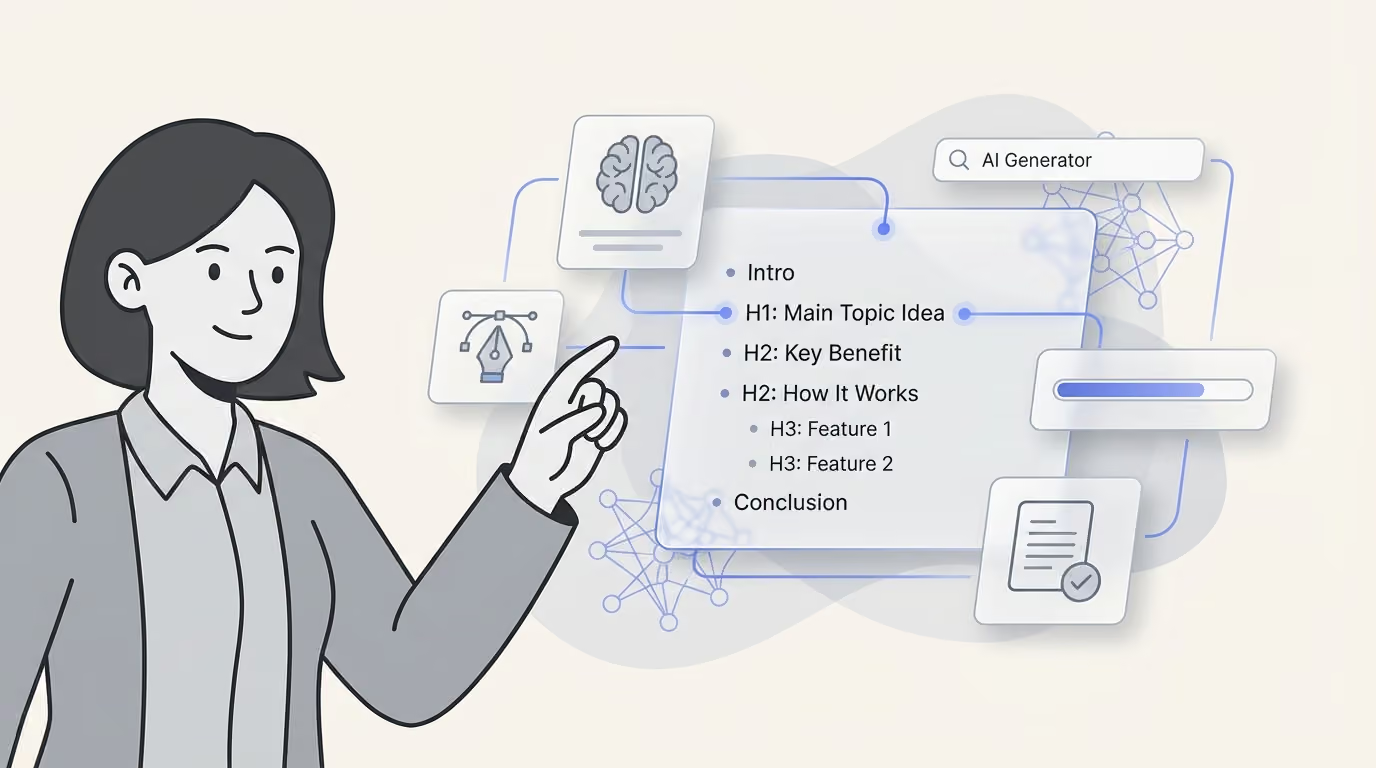
AI Blog Post Generator for WordPress: How to Publish Without Sounding Generic
Publish WordPress posts faster without generic AI copy. See how an AI blog post generator fits your workflow, plus setup, QA, and governance steps.

Dana Willow
Senior Marketer sharing 15 years of marketing wisdom through an AI lens.
Published on August 4, 2026
Updated on September 21, 2026

Discover how to leverage AI for content creation on WordPress while maintaining a unique and authentic brand voice.
Key Takeaways
- An AI blog post generator only pays off when it plugs into your full WordPress pipeline - drafting, images, internal links, and scheduling - not just the editor box.
- Plugins are fastest to install; external platforms win when you publish to social channels and landing pages alongside the blog.
- Voice calibration on your existing posts is the single highest-cost setup step; skip it and you ship the same generic copy as everyone else.
- Free tiers cap credits, images, and API calls - model total cost per published post instead of per generated word.
- Undisclosed AI content is a trust risk: 69% of consumers report feeling manipulated when brands hide it (BCG, The Multiplier).
- Track drafts-to-published ratio and editing minutes per post; those two numbers expose whether your generator is actually saving time.
What an AI Blog Post Generator Actually Does Inside WordPress
Draft generation solves maybe half your publishing job. An AI blog post generator built for WordPress writes an outline, drafts body copy from a keyword or brief, and often suggests a title
but publishing a live, SEO-ready post demands far more than word count. Picking the wrong tool carries real risk: AI startups saw funding pull back sharply, with volume and deal count both falling as investors grew choosier about which platforms survive (ABI Research, 2023). That volatility matters because a generator you build workflows around today could lose support tomorrow. The real test isn't how fluent the draft reads - it's whether the tool understands WordPress structure itself: blocks, taxonomies, metadata, and media. Tools that stop at generation hand you a wall of text and leave the SEO and formatting work entirely to you.
Generation vs. publishing: where most tools stop
Most generic AI writers exit the moment the draft is finished.
A true WordPress-ready workflow keeps going through five more steps before anything should go live.
- Outline and draft creation: structured content built from a keyword or brief
- On-page SEO fields: title tag, meta description, slug, and headings
- Featured image and visuals: selecting or generating in-body imagery
- Internal linking and categorization: connecting to existing posts and taxonomies
- Scheduling and handoff: revision history and multi-author publishing controls
Why WordPress-specific matters (Gutenberg blocks, taxonomies, media library)
Generic AI text doesn't understand Gutenberg block structure, custom taxonomies, or how the media library organizes assets.
A tool built specifically for WordPress maps drafts into blocks, applies categories correctly, and reuses existing media instead of orphaning new uploads.
Plugin vs. External Platform: Two Different Models
Integration model decides your ceiling, not output quality. A WordPress plugin and an external AI platform can both write a competent blog post, but they solve different problems once volume grows. The plugin lives inside wp-admin, generating drafts directly in the block editor with zero setup beyond activation. An external platform sits outside WordPress entirely, producing content elsewhere and pushing it in through an API or webhook connection. That architectural choice, not the writing engine underneath, determines whether your workflow scales past one blog. Single-site publishers rarely feel the difference. Teams publishing social posts, landing pages, and email alongside the blog feel it immediately, because a plugin has no reach beyond the editor it's installed in. A third option, hybrid setups, lets a platform draft while a lightweight plugin handles formatting and media inside WordPress. Choosing wrong means either paying for channels you'll never use or hitting a wall when a second channel becomes necessary. The comparison below maps connection method, ideal use case, and the limitation each model carries.
| Model | How it connects | Best for | Main limitation |
|---|---|---|---|
| WordPress plugin | Installed in wp-admin, generates inside the editor | Blog-only publishing, single site, fast start | Content lives in one channel; site performance and update risk |
| External platform + API/webhook | Drafts generated outside, pushed to WordPress as posts | Teams also publishing to social, landing pages, email | Requires connection setup and credential management |
| Hybrid (platform + light plugin) | Platform drafts, plugin handles formatting and media | Multi-brand operators and agencies | Two systems to keep in sync |
When a plugin is genuinely enough
If WordPress is your only publishing surface, a plugin removes friction without adding a second system to manage.
Add multiple channels or brands, and that same simplicity turns into a ceiling.
When a multi-channel platform pays for itself
Agencies and multi-brand teams need content flowing into more than one destination from a single source. An external platform with API or webhook publishing handles that fan-out; a plugin cannot.
Setting Up Your WordPress Publishing Pipeline in One Afternoon
Sequence the setup; skipping steps creates rework later. Most teams treat AI publishing tools like simple plug-ins, then spend weeks fixing formatting, tone, and permission mistakes after launch. A structured afternoon setup - audit, connect, map defaults, define visual rules, test, schedule - prevents that costly cleanup cycle entirely. Each step builds on the one before it, so voice calibration happens before the first live draft goes out, not after readers notice something feels off. Skipping the audit step means the generator learns from weak examples instead of your strongest work. Skipping the defaults step means drafts can publish under the wrong author, category, or with no review step at all. This order matters more than which specific tool or plugin you eventually choose. Follow this sequence once, and every future post afterward takes minutes instead of hours to prepare properly, freeing your team for strategy instead of formatting fixes.
- Audit your posts: Pick 10 that show your best voice and structure.
- Connect the generator to WordPress: Use an application password, API key, or plugin auth.
- Map your defaults: Draft status, author, category, and tags - never auto-publish.
- Define visual rules: Brand colors, approved image sources, and an alt text pattern.
- Generate one test post: Run it end to end and time the human edit.
- Set a weekly schedule: Lock it into your content calendar right away.
Draft-first defaults protect your site
Never flip step three to auto-publish. Draft status gives an editor one last checkpoint before anything goes live.
Skip that checkpoint once, and a single bad draft can undo months of earned trust.
Small-team vs. 10-50 person team setup differences
A small team can run this whole pipeline through one shared login. Larger teams need role-based access instead, plus a Slack or email alert when a draft is ready for review.
Teaching the Generator Your Brand Voice Before the First Draft
Voice calibration beats prompt tinkering every single time. Most founders fighting generic AI output are stuck adjusting prompts when the real fix is a one-time calibration pass: feeding the generator real examples, banned phrases, and explicit rhythm rules so it internalizes how the brand actually sounds. This takes under an hour and holds for months. Skip it, and every draft reads like it came from the same templated well as every competitor's blog
fixed properly, drafts sound like a specific person wrote them. The process is mechanical, not mystical. You're not describing tone in adjectives ("friendly but authoritative") - you're showing the model concrete text and telling it what to avoid. Adjectives get interpreted loosely; examples and bans get followed literally. Run this before the first real draft, not after three rounds of disappointing output.
Source material: site copy, past posts, founder writing
Pull from what already worked, not what looks impressive. The best calibration set is narrow and proven, not broad and aspirational.
- Feed the tool your top-performing existing posts: not competitor content - the model will absorb their voice, not yours
- Ban a written list of tells: "unlock," "game-changing," "in today's quick world"
- Fix sentence rhythm rules: max three sentences per paragraph, short openers
- Define what you never claim: no invented stats, no fake case studies
- Re-run calibration quarterly: as your positioning shifts
How to test whether voice actually transferred
Generate three drafts on unrelated topics. Read them aloud without knowing which came from AI. If a stranger can't tell, calibration worked
if it still sounds like stock marketing copy, tighten the banned-phrase list and add more source examples.
The Editorial QA Layer That Keeps Drafts Publishable
Every generated draft needs one human gate minimum. A 20-minute editorial pass is what separates content that ranks from content that gets deindexed for thin quality signals. This isn't optional polish - it's the checkpoint where a machine draft becomes a publishable asset. Skipping it means shipping unverified claims, generic phrasing, and structural gaps straight to your audience.
The fix is a fixed-time checklist, not an open-ended rewrite. Five checks, roughly 20 minutes total, catch the failures that actually hurt rankings and trust: wrong stats, off-brand voice, poor skimmability, weak internal linking, and sloppy search fields. Treat this as a gate every draft passes through before it touches your CMS.
The 20-minute edit standard
| Check | What to look for | Time budget |
|---|---|---|
| Fact and stat verification | Every number traced to a named source and year | 5-8 min |
| Voice pass | Banned phrases removed, opener rewritten in your words | 5 min |
| Structure and skimmability | H2 hierarchy, table or list every 300 words, bolded summaries | 4 min |
| Links and media | Internal links to 3 relevant posts, alt text, image licensing | 4 min |
| Search fields | Title tag under 60 characters, meta description benefit-led | 3 min |
What to escalate to a full rewrite
Some drafts fail beyond a quick pass. Escalate when a stat can't be sourced at all, when the structure buries the main point past paragraph three, or when three-plus sentences read like filler. Those are rewrite signals, not edit signals.
What Free AI Blog Post Generators Actually Cost You
Free tiers trade credits for your editing hours. A no-cost blog generator looks like savings until the credit meter runs dry mid-draft, the export locks behind a paywall, or the output needs a full rewrite before it's publishable. Free plans are built to convert, not to sustain a real content calendar. They cap word counts, throttle generations per day, and quietly strip the features - long-form structure, brand voice memory, multi-page consistency - that make a draft usable without heavy rework. The real cost shows up later: in the hours spent fixing tone, checking facts, and reformatting for SEO. Teams that treat "free" as a line item instead of a workflow often discover the tool was never the bottleneck; the editing labor was. That labor doesn't disappear with a free plan
it just moves from your software budget to your calendar. Evaluating any generator, free or paid, means pricing the full path from prompt to published post, not just the sticker price of the first draft.
How to trial a free tier without wasting a month
Test with your actual worst-case brief, not a demo topic. Publish one full draft end-to-end, including images and formatting, before judging the tool.
Cost per published post, calculated
Add generation time, rework minutes, and any overage fees, then divide by posts actually shipped.
- Credit or word caps: stop generation mid-month, forcing a scramble or upgrade
- No image generation: asset matching becomes a separate, uncosted task
- Single-site limits: break multi-brand or agency operators immediately
- Bring-your-own API key: token spend stays invisible until the bill lands
- Rework time: a 90-minute fix erases whatever the draft "saved"
Disclosure, Governance, and Reader Trust
Hidden AI use is a trust liability, not efficiency. Readers can tell when content feels hollow, and they punish brands that hide the process behind it. A recent BCG-cited study found 69% of consumers feel manipulated when brands use AI without disclosing it - a number too large to dismiss as edge-case sensitivity. Publishers who treat disclosure as a compliance afterthought are gambling with the one asset algorithms can't fake: credibility. The fix isn't complicated, but it does require deliberate policy, not a vague footer line nobody reads. Governance matters just as much once more than one person touches a draft.
What disclosure wording actually reassures readers
Vague legal boilerplate reads as evasive.
Plain language naming the tool, the human editor, and the verification step reads as honest.
Governance for teams with multiple contributors
Shared workflows break down without a single owner accountable for what gets published.
- Editorial policy note: Publish a short AI-assistance disclosure on your policy page
- Author of record: Name a real human accountable for every post
- Audit log: Track which posts were AI-drafted for review and retraining
- No-publish rule: Block unverifiable, medical, legal, or financial claims
- Policy review cycle: Revisit rules whenever platform or search guidance shifts
Measuring ROI: Cost Per Published Post, Not Per Word
Measure published output, editing minutes, and pipeline impact. Per-word cost was a print-era proxy that never mapped to results, and it breaks down further once AI drafts arrive at near-zero marginal cost. Teams that keep pricing content by the word will pay for word count, not for posts that actually ship. A better framework tracks four numbers: cost per published post, draft-to-publish ratio, edit minutes per post, and assisted conversions from published content. These metrics tie spend directly to output and business impact rather than to an input nobody buys anymore. Review them on a fixed schedule, not sporadically, so trends surface before budgets get questioned. Most teams underinvest in this step, then struggle to defend AI content spend when leadership asks for evidence. A simple dashboard pulling subscription cost, editor hours, and CMS publish counts answers that question in minutes, not meetings.
| Metric | How to calculate | Healthy signal |
|---|---|---|
| Cost per published post | (Subscription + editor hours) ÷ posts published | Falls month over month |
| Draft-to-publish ratio | Published posts ÷ drafts generated | Above 0.6 after calibration |
| Edit minutes per post | Timed from draft open to publish-ready | Under 25 minutes |
| Assisted conversions | Signups or demos touching a blog post | Grows with cadence, not just volume |
A 90-day review cycle
Pull these four metrics every 90 days, not monthly, to smooth out seasonal noise and one-off outliers.
A single slow week shouldn't trigger a tool swap
A quarter of rising edit minutes should.
Chart each metric against the prior two quarters so drift is visible before it becomes a budget line item nobody can explain.
When to switch tools instead of tuning
Tune prompts and workflows first; most underperformance is a calibration problem, not a tooling problem.
Switch tools when cost per post rises for two straight review cycles despite tuning
Or when edit minutes stay above threshold after the team has adjusted templates twice.
FAQs about ai blog post generator wordpress
Can an AI blog post generator publish directly to WordPress?
Yes, most tools connect through an application password or a WordPress plugin that authenticates your site and pushes content straight into the editor. That said, it's worth keeping the default publish status set to "draft" rather than "live," so every post lands in your queue for a quick human check before it goes public. This small setting protects you from typos, broken formatting, or off-brand phrasing making it onto your site unreviewed.
Are free AI blog post generators good enough for a real blog?
Free tiers typically come with credit caps, limited word counts, and no support for generating images or other assets, so they're not built for sustained publishing. They're genuinely useful, though, for testing whether a tool's default voice and structure fit your brand before you commit to a paid plan. Treat the free tier as a trial run, not a production workflow.
Will AI-generated blog posts hurt my search rankings?
AI-assisted content itself isn't penalized - search engines evaluate quality, originality, and usefulness, not how a draft was produced. The real risk is publishing thin, unedited output that reads as generic or repetitive across pages. A solid human review pass focused on accuracy, added insight, and originality is what keeps AI-assisted posts competitive in rankings.
Do I need to disclose that a post was AI-assisted?
There's no universal legal requirement, but it's good practice to add a short editorial policy note explaining your use of AI tools in content production. Pairing that with a named human author or editor byline builds reader trust and signals accountability for the final piece. This transparency also tends to align well with platform and advertiser content guidelines.
Plugin or external platform - which should a solo founder pick?
A WordPress plugin is usually the simpler choice if you're running one blog and want everything managed inside your existing dashboard. An external platform makes more sense once you're managing multiple brands or publishing across several channels beyond just WordPress, since it centralizes workflows that a single-site plugin isn't built for. Match the tool to how many properties you're actually maintaining, not just your current post volume.
How long should editing an AI draft take?
Budget roughly 20 to 25 minutes per post for a proper editing pass. Split that time between fact-checking claims, statistics, and links, and a voice pass that tightens phrasing, adds specific examples, and removes anything that sounds generic. If a draft consistently needs far longer than that, it's a sign to adjust your prompts or source material rather than accept the extra editing time as normal.
Six Mistakes That Turn a WordPress AI Generator Into a Liability
- Auto-publishing straight to live: Setting the default post status to publish removes the only quality gate you have. Keep everything in draft and require one human approval, even when the output looks clean.
- Skipping voice calibration: Teams jump to generating before feeding the tool their existing posts, then blame the model for generic copy. Ten of your own best articles do more than fifty prompt tweaks.
- Trusting statistics the tool produces: Unverified numbers are the fastest way to lose credibility with a technical audience. Every stat needs a named source, a year, and a link you actually opened.
- Judging tools on words per minute: Speed of generation is irrelevant if each draft takes ninety minutes to fix. Track edit minutes and cost per published post instead.
- Ignoring images and internal links: A text-only pipeline leaves you manually sourcing visuals and hunting for link targets. That manual coordination often costs more time than the writing did.
- Publishing with no disclosure policy: Readers punish brands that hide AI involvement. A one-paragraph editorial policy and a named human author cost nothing and protect trust.
Sources
About Dana Willow
Author
Senior Marketer sharing 15 years of marketing wisdom through an AI lens. Teaching founders to automate smarter.