How to Automate Multi-Platform Social Media Content Creation With AI
Automate multi-platform social media content creation with AI without generic output. Get the 5-layer workflow, tool criteria, and voice checks.

Dana Willow
Senior Marketer sharing 15 years of marketing wisdom through an AI lens.
Published on September 25, 2026
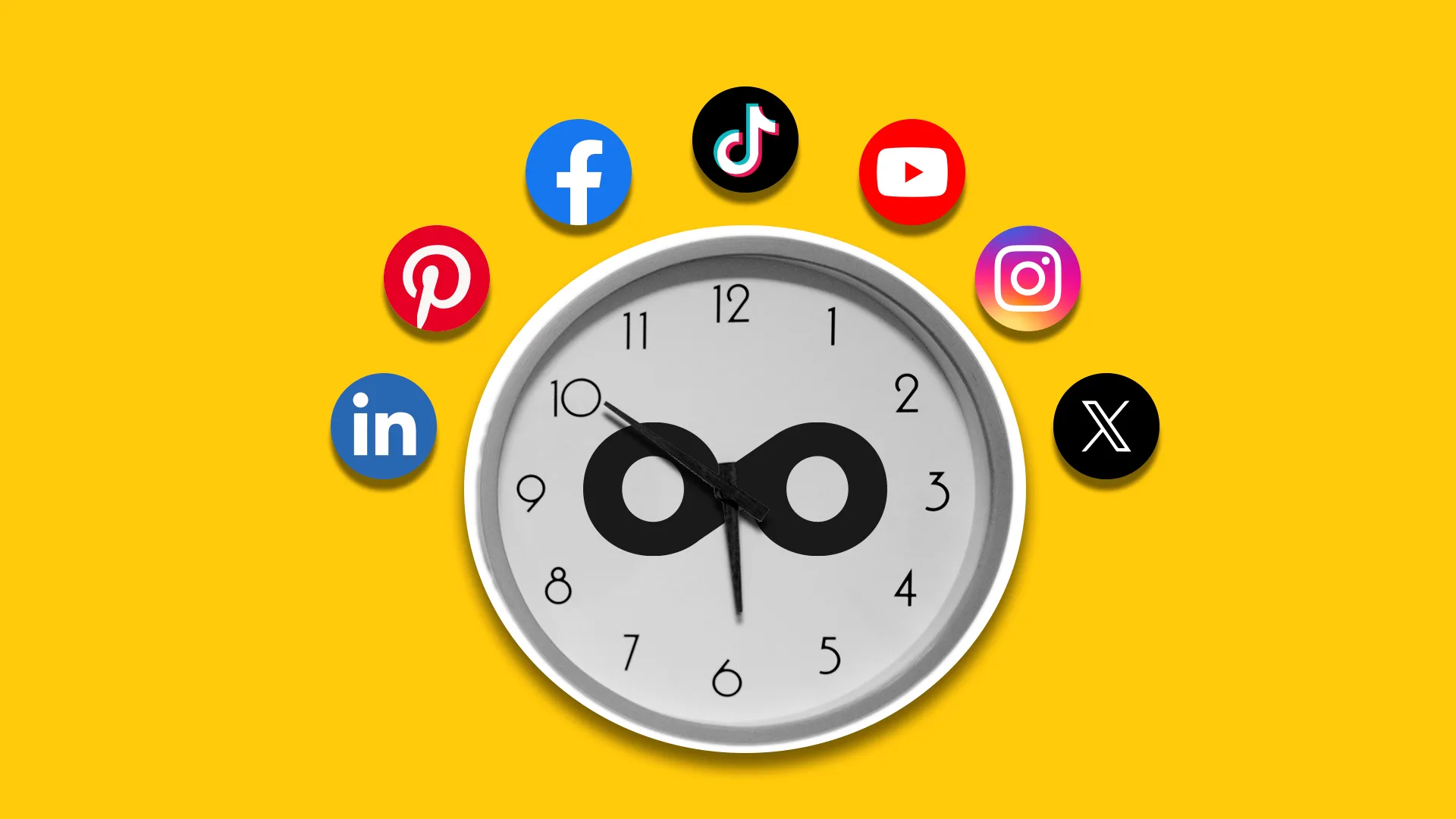
Discover how AI tools can streamline your content workflow across diverse social media channels, saving time and boosting engagement.
Key Takeaways
- Automating multi-platform content is a five-layer system: voice, generation, platform adaptation, visuals, and scheduling - skip a layer and output reads generic.
- Platform-aware variation beats cross-posting: one idea should become six native posts, not one post pasted six times.
- Train the system on your existing site and past posts first; voice inputs matter more than prompt cleverness.
- Automated visual matching removes the hidden time sink most founders underestimate.
- Keep a human approval gate on announcements, apologies, and anything tied to a live customer situation.
- Judge tools on voice fidelity and platform coverage before pricing or post volume.
Why Multi-Platform Posting Collapses for Small Teams
Six platforms, one founder, no sustainable growth. That's the real math behind most content burnout, not a lack of ideas or discipline. A founder is expected to post native-feeling content on Instagram, LinkedIn, X, TikTok, YouTube, and Facebook, while also shipping product, answering support tickets, and closing sales.
Something always slips, and it's usually consistency, the one variable that actually drives growth. Manual posting assumes a team that small companies don't have: a scheduler, a designer, a copywriter, and someone tracking what performed last week. Without that structure, teams default to sporadic bursts followed by silence, which platforms and audiences both penalize. The real challenge is the raw hours in a day that hasn't grown to match the number of channels a brand is now expected to maintain simultaneously and credibly.
What AI Automation Actually Replaces in Your Workflow
Automation replaces steps, not judgment or strategy. The honest way to evaluate any AI content tool is step by step, not as a big black box. Idea generation, drafting, visuals, and scheduling all shift from manual labor to machine-assisted output
but each still has a point where a human decision matters. Some steps compress from hours to minutes, like turning one post into platform-native variants instead of rewriting for each channel. Others just change shape: voice consistency stops depending on which teammate is typing and starts depending on a model trained on your existing writing. The table below maps six core workflow steps against what changes and what doesn't. Notice the pattern: mechanical, repetitive work disappears almost entirely, while approval, judgment calls, and anything customer-facing stay in human hands. That's the realistic split
not "AI does everything" and not "AI barely helps." Reading this table honestly will save you from either overbuying automation or underestimating what it frees up for your team to focus on instead.
| Workflow step | Manual approach | AI-automated approach | Human still required? |
|---|---|---|---|
| Idea generation | Ad-hoc notes, competitor scrolling | Ideas pulled from your site, docs, and past posts | Light - pick winners |
| Drafting | Write once, reuse everywhere | Platform-native variants generated per channel | Light - spot edits |
| Visual assets | Hunt stock images, resize manually | Assets matched or generated per post | Occasional swap |
| Scheduling | Manual posting across apps | Weekly plan queued across all platforms | Approval only |
| Voice consistency | Depends on who is writing | Model trained on your existing writing | Quarterly review |
| Announcements | Written and reviewed carefully | Draft only | Yes - always |
The Five Layers of a Multi-Platform AI Content System
Missing layers are why AI output feels generic. A single prompt that generates a caption is a shortcut that runs out of value fast. Real content operations stack five distinct layers, each solving a different failure point in the workflow. Skip one and the gap shows up downstream: flat voice, mismatched formatting, empty visuals, or posts stuck in drafts. Founders who wire a prompt straight into a scheduler usually get technically correct but tonally hollow content, because nothing in the chain was built to sound like them or fit the platform it lands on. Understanding these layers separately, rather than treating "AI content" as one black box, is what lets a founder diagnose why output feels off and fix the actual weak link instead of rewriting everything by hand.
- Voice layer: a model tuned on your existing site copy and past posts so drafts start in your register, not corporate default.
- Generation layer: turns a topic, launch, or lesson into a usable draft with a clear angle.
- Adaptation layer: rewrites that draft natively for X, LinkedIn, Facebook, Instagram, Threads, and Reddit norms.
- Asset layer: pairs or generates visuals per post so nothing sits unpublished waiting on an image.
- Distribution layer: a scheduler that holds a weekly plan and publishes without you opening six apps.
Why the adaptation layer matters most
One draft posted identically everywhere reads as spam on at least three platforms. The adaptation layer is what separates a system from a copy-paste habit
it restructures hooks, line breaks, and length per platform norm.
Where most DIY automations break
Most homemade setups stop at generation and skip straight to posting. The result is on-brand ideas wrapped in off-brand delivery, missing images, and inconsistent publishing
three separate failures that look like one vague problem: "AI content isn't working."
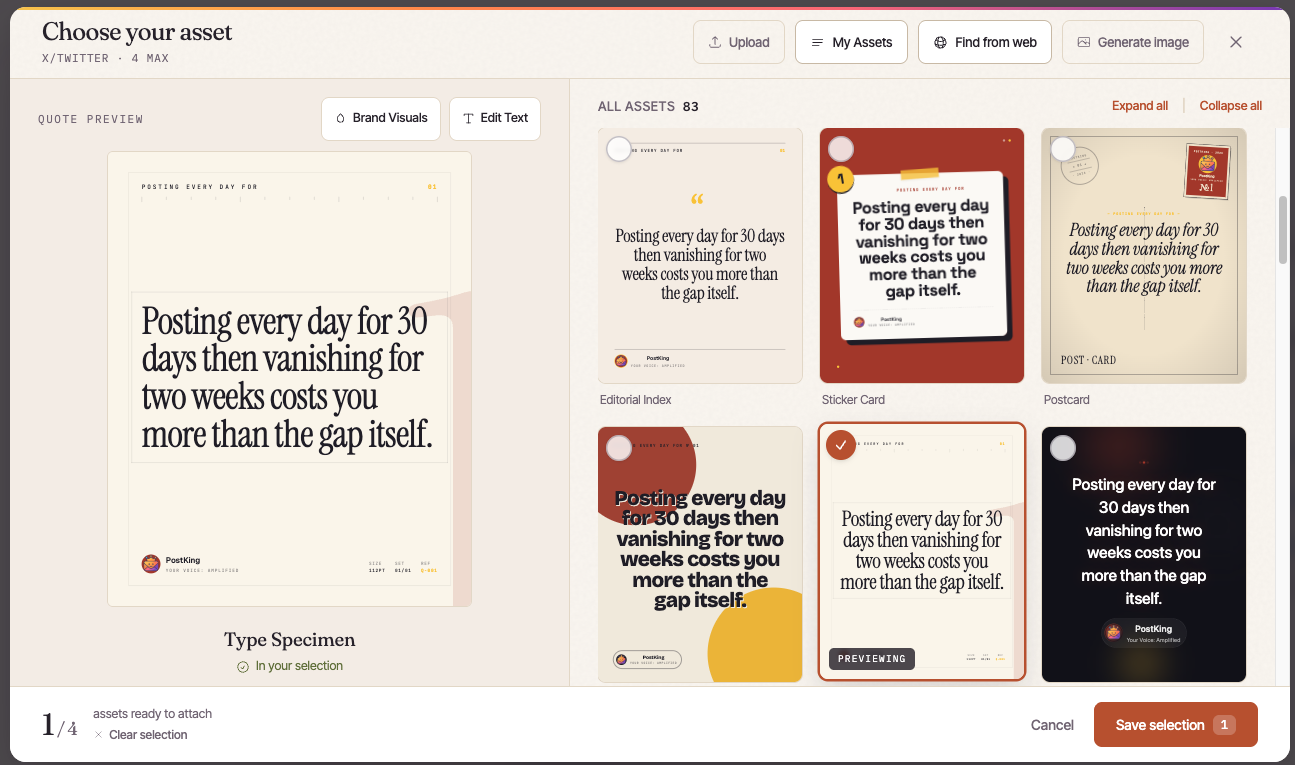 The asset layer in practice - matching visuals to a post instead of hunting for stock images
How to Set Up Your Automated Multi-Platform Workflow
Train voice first, then scale volume second. Most solo founders skip straight to bulk content generation, and the output reads generic across every platform. A better sequence starts narrow: teach the system how you actually talk before asking it to multiply anything. This section walks through the four-step build, from feeding it your existing voice to letting a scheduler run your first full week. None of it requires a developer, an agency, or a weekend - an afternoon is enough. The order matters more than the tools you pick, because sequence is what prevents the flat, AI-flavored sameness that makes audiences scroll past. Get the first two steps right and the last two become almost mechanical.
Step 1: Feed the system your existing voice inputs
Upload past posts, transcripts, emails, or recorded calls - anything with your natural phrasing.
Skip polished marketing copy; it trains the system on someone else's voice, not yours.
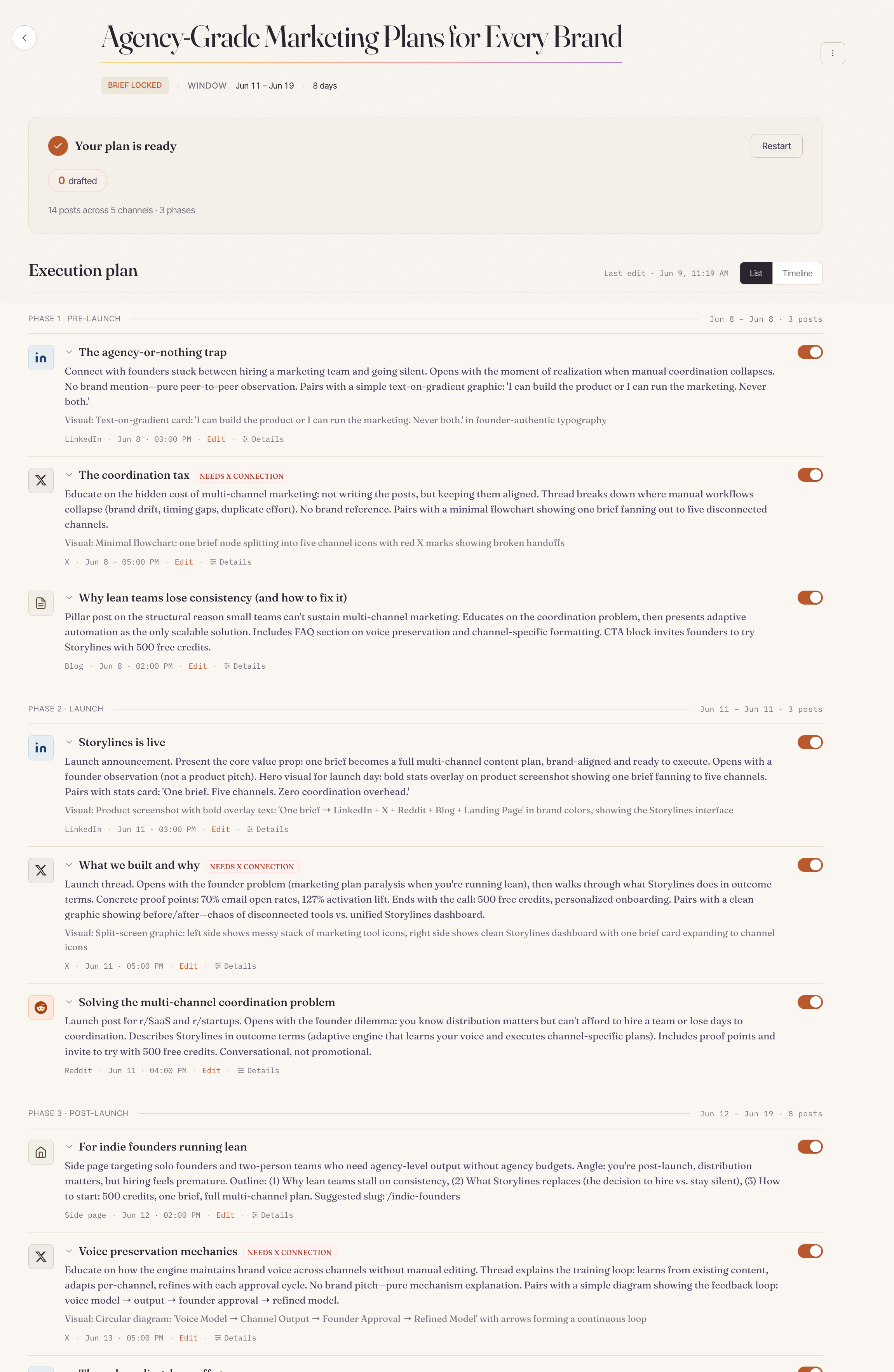 Brand Mind - feeding PostKing your existing voice inputs
Step 2: Define pillars and weekly themes per platform
Pick three to five recurring topics you can speak to credibly. Assign a realistic posting frequency to each platform instead of copying one idea everywhere.
Step 3: Generate one idea into six native variants
Take a single core idea and let the system reshape it per platform's format and norms.
A LinkedIn post, a tweet thread, and a Reels script should never look identical.
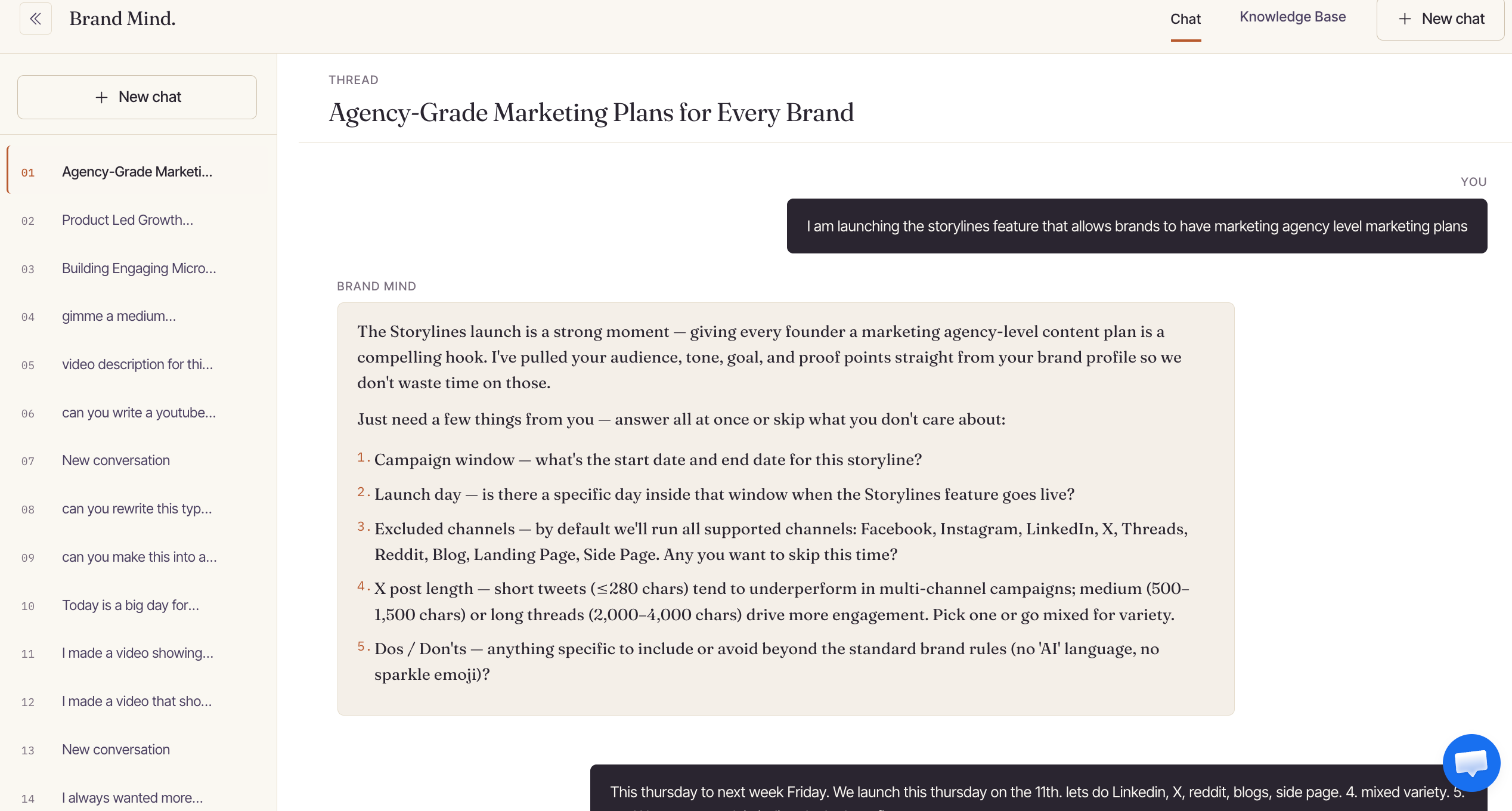 Turning one core idea into a Storyline that reshapes into native, per-platform variants
Step 4: Approve, queue, and let the scheduler run
Review each variant briefly, approve or edit, then queue the batch. The scheduler handles timing and posting while you return to running the business.
How to Choose an AI Tool for Social Media Content Creation
Tool categories solve genuinely different problems here. A node-based workflow builder isn't competing with a scheduler, and a scheduler isn't competing with a voice-first platform - they sit at different points on the effort-to-fidelity curve. Choosing wrong usually shows up months later, not on day one. Teams pick a scheduler for speed, then notice every post reads the same across platforms. Others wire together a custom pipeline, then spend more time maintaining API connections than writing content. The right choice depends on three things: how much brand voice matters, how much setup time you can spend upfront, and who actually owns the content once it ships.
Founders protecting a distinct voice need different tooling than agencies billing by volume.
Questions to ask before you commit
Before testing any tool, ask what happens when your brand voice needs to hold across fifty posts instead of five. Ask who fixes the workflow when a platform's API changes overnight. Ask whether the output sounds like your founder or like every other account in your niche.
| Tool category | Best for | Voice fidelity | Setup effort | Watch out for |
|---|---|---|---|---|
| Workflow builders (node-based) | Technical founders wiring custom pipelines | Depends on your prompts | High | Maintenance load when APIs change |
| Schedulers with AI add-ons | Teams already happy with their queue | Generic by default | Low | Same post pushed to every platform |
| Generic AI writers | One-off captions | Low | Low | Recognizable AI phrasing |
| Voice-first content platforms | Founders and SMEs protecting brand voice | High - trained on your material | Low | Needs enough existing content to learn from |
| Agencies and freelancers | Funded teams with budget | High | Medium | Cost scales with volume |
Where PostKing fits in this comparison
PostKing sits in the voice-first row: low setup, no API wiring, trained directly on a founder's own material.
It's built for teams who want distinct output without hiring an agency or maintaining a pipeline.
Keeping Brand Voice Intact Once Volume Scales
Volume exposes weak voice inputs very quickly. A founder writing three posts a week can fake consistency through memory alone.
An AI tool publishing thirty posts a week has no memory unless the brand gives it rules, examples, and boundaries to follow. The fear that automation makes brands sound generic is valid, but it's usually a symptom of thin inputs, not a flaw in automation itself. Feed a tool vague instructions and it produces vague copy at scale. Feed it a real voice profile, and scale becomes the thing that reveals inconsistency in humans, not the machine.
The banned-phrase list every founder should keep
Every brand accumulates phrases that sound like everyone else: "unlock," "game-changer," "in today's rapid world." Keep a living list of banned words and clichés and feed it into every prompt or tool setting.
This single habit removes most of the "AI smell" readers notice first.
Sampling instead of reviewing every post
Reviewing every single post defeats the purpose of scaling output. Instead, sample 10-15% weekly, checking tone, claims, and banned phrases.
Catching drift early keeps voice intact without re-creating the bottleneck automation was meant to solve.
Measuring Whether the Automation Is Working
Post volume is the weakest success signal. A tool can publish daily and still fail a business if no one reads the posts, edits pile up, or traffic never converts. Judging automation by output alone hides the real question: did it return usable time
or just relocate the work into an editing queue? The scorecard below swaps vanity counting for signals tied to capacity, voice fidelity, audience response, and revenue. None of these require expensive analytics - most live in a scheduler dashboard, a platform's native insights tab, or a spreadsheet updated in minutes. Review them on a fixed basis rather than sporadically, since single-week spikes or dips rarely mean much on their own. Weekly checks catch voice and cadence problems before they compound into a backlog of unusable drafts. Monthly checks surface whether the time saved is real and whether the content is actually moving people toward a signup. Treat the table as a standing habit, not a one-time audit.
 Actionable insights - tracking the signals that show whether automation is actually working
| Signal | What it tells you | Review frequency |
|---|---|---|
| Hours spent per publishing week | Whether automation returned real capacity | Monthly |
| Edit rate before approval | How well voice training landed | Weekly |
| Replies and saves per platform | Whether adaptation is native enough | Biweekly |
| Profile visits to signups | Whether content reaches business outcomes | Monthly |
| Posts published vs planned | Whether the goal is realistic | Weekly |
When Not to Automate a Post
Some posts always deserve a human hand. Automation earns its keep on routine, repeatable content - listings, recaps, evergreen updates - where the pattern is stable and the stakes are low.
The moment a post carries legal weight, emotional nuance, or a fast-changing truth, that same speed becomes a liability. A scheduled tool doesn't know that a fact changed an hour ago, or that a joke lands differently during a crisis. Treat the list below as a hard stop list, not a suggestion: if a draft matches one of these, route it to a person before it goes anywhere near "publish."
- Outage or incident updates: accuracy shifts hourly, and stale automation can publish a fix that's already wrong.
- Apologies or crisis responses: tone requires judgment no template can replicate.
- Pricing or contractual changes: errors here carry real legal and financial exposure.
- Breaking industry news reactions: context changes too fast for pre-set rules.
- Personal milestones: the story itself is the value, and it deserves a real voice.
FAQs about automate multi platform social media content creation with ai
Can AI really write for six platforms without sounding repetitive?
Yes, as long as the workflow is platform-aware rather than a single blast of copy-pasted text. The goal is to start from one core idea or message, then let the AI reshape it into six native formats - a punchy hook for short-form video, a conversational thread for X, a value-driven caption for Instagram, a professional angle for LinkedIn, and so on. Each version should respect the tone, length, and structure that performs on that specific platform, so audiences see content that feels relevant to where they're scrolling instead of a duplicate string of text with different hashtags.
How much existing content do I need before voice training works?
You don't need a massive archive - a solid starting set is usually your site copy plus a few dozen of your best-performing past posts across platforms. What matters more than volume is quality: feed the AI examples that genuinely sound like your brand at its best, not everything you've ever published. A smaller batch of clean, on-voice samples trains the model far more reliably than a huge dump of inconsistent or outdated posts, and you can always refine the voice profile as more content gets published.
Is a no-code workflow builder better than an all-in-one tool?
It depends on what you're optimizing for. No-code workflow builders give you more control and flexibility to customize each step, but that comes with a higher maintenance load - you're the one responsible for updating connections, prompts, and logic as platforms or APIs change. All-in-one tools reduce that upkeep since the vendor maintains the integrations, but you often trade away some voice fidelity, since the content generation is more templated and less tunable to your specific brand voice. Choose based on whether you'd rather spend time maintaining a system or accept a bit less customization for convenience.
How do I stop automated posts from reading like AI slop?
Two safeguards make the biggest difference. First, keep a banned-phrase list of overused AI tics - words like "unlock," "elevate," "today," and similar filler - and have your workflow automatically flag or strip them out before anything gets scheduled. Second, build in sampled human review, where a real person checks a percentage of generated posts (not necessarily every single one) before or shortly after they go live. This combination catches robotic phrasing early while still keeping the process fast enough to stay automated.
How long does setup usually take?
Most teams can get a working system live in an afternoon. The bulk of the effort goes into voice inputs first - gathering and uploading your brand samples, style guides, and past content so the AI has something solid to learn from. Once that foundation is in place, connecting your platforms, building the content pipeline, and scheduling your first full week of posts is comparatively quick, often wrapped up in that same session.
Can I run several brands from one automation setup?
Yes, most mature setups are built to handle this through brand-level switching, where each brand has its own voice profile, content pipeline, and connected accounts, but they all run through the same underlying automation. Pair this with role-based access so team members only see and edit the brands relevant to them - this keeps content, credentials, and approvals cleanly separated even when everything lives in one system.
Five Mistakes That Make AI Multi-Platform Automation Backfire
- Cross-posting identical copy to every platform: A LinkedIn paragraph does not work as an X post or a Reddit comment. Without an adaptation layer, automation just multiplies the same mismatched message and audiences learn to scroll past it.
- Skipping voice training and relying on prompts: Prompt instructions decay across hundreds of posts. Systems trained on your actual site copy and past posts hold register far better than a paragraph of style notes pasted into each request.
- Automating publishing before automating approval: Founders queue a month of posts, then discover a factual error in week one. Keep a lightweight approval gate so mistakes are caught in the queue, not in public.
- Treating images as an afterthought: Written posts sit unpublished while someone hunts for a visual. If asset matching is not part of the system, the visual step quietly becomes the new bottleneck.
- Chasing post volume instead of capacity returned: Tripling output while your edit rate climbs means you automated typing, not workload. Track hours returned and edit rate, not the raw number of posts shipped.
About Dana Willow
Author
Senior Marketer sharing 15 years of marketing wisdom through an AI lens. Teaching founders to automate smarter.