Social Media Scheduler: How to Pick One That Actually Fits Your Workflow
Choose a social media scheduler that fits your team, platforms, and budget. See real use cases, pricing traps, and a scoring framework today.

Dana Willow
Senior Marketer sharing 15 years of marketing wisdom through an AI lens.
Published on September 7, 2026
Updated on October 9, 2026
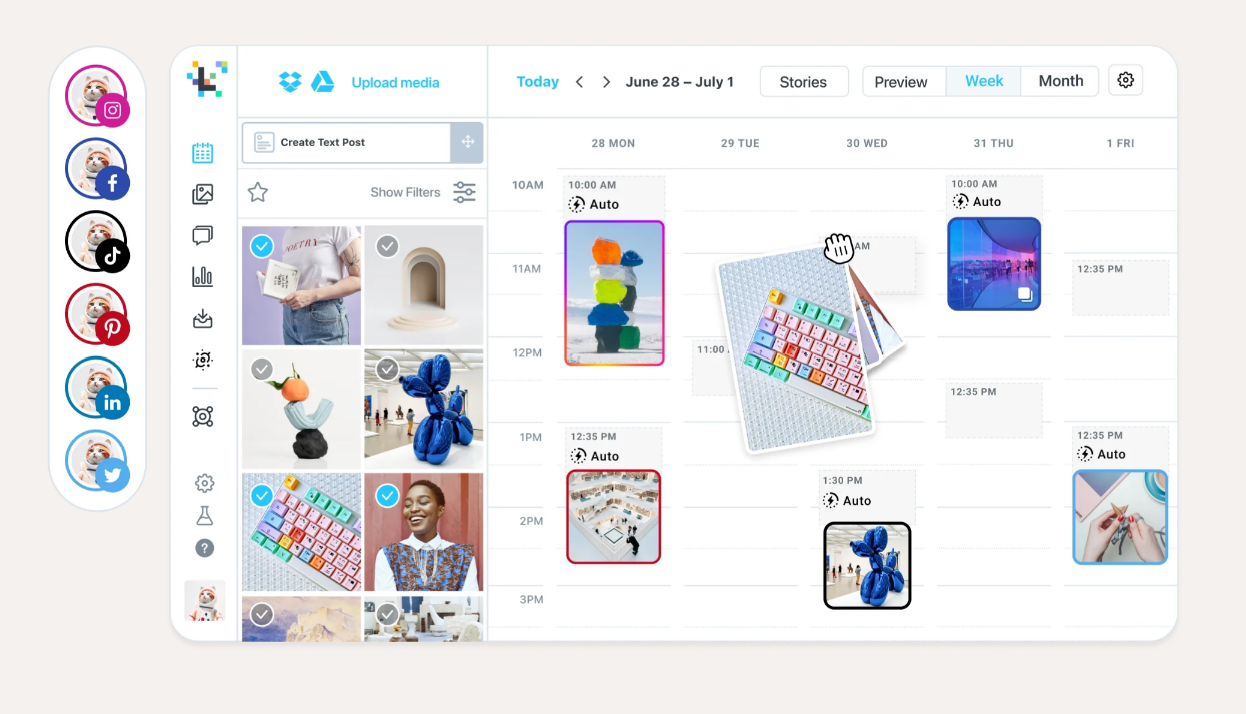
The right scheduler is the one that matches how you already plan and publish.
Key Takeaways
- A scheduler is a workflow decision. Pick based on how content gets approved and published, not on the length of the integration list.
- Seat-based and profile-based pricing diverge sharply once you pass three brands or five team members; model your real cost at 12 months, not just month one.
- Platform-native quirks (Instagram Stories, LinkedIn document posts, Reddit subreddit rules) are where most tools quietly fail, test them before you migrate.
- AI features earn their keep when they preserve your voice and reduce approval cycles; generic caption generators mostly add editing work.
- Social media AI tools have been measured at 268% ROI over three years, but only when scheduling connects to a real content pipeline instead of an empty queue.
What a Social Media Scheduler Actually Does in 2026
Scheduling is now the smallest part of the job. A modern social scheduler is a coordination layer that carries a post from draft through approval, publishing, audience response, and performance review, all inside one workspace. Teams that still shop for "a way to queue posts" are solving 2018's problem. The real cost center is scattered approvals, missed asset versions, and comments answered three platforms too late. Vendors have responded by bundling review workflows, native APIs, unified inboxes, and reporting into a single loop that mirrors how content teams actually operate, not how a single marketer schedules a lone tweet. That shift shows up in the economics too: AI-assisted social tools now deliver 268% ROI over three years (Forrester study, 2026), a figure that reflects workflow consolidation more than any single scheduling feature.
The difference between a queue and a workspace
A queue holds posts and fires them at set times.
A workspace holds the entire content lifecycle, from draft to client sign-off to the analytics that inform the next calendar.
That distinction matters most for agencies and in-house teams managing several brands, where a missed approval step is a client-facing failure, not a minor inconvenience.
Why "schedule a post" stopped being the buying criterion
Every tool on the market schedules posts reliably; that baseline stopped differentiating vendors years ago. Buyers now evaluate whether a platform closes the loop between publishing and what happens after, since the category itself has matured considerably since early players like Later, founded in 2014 (Later Reviews, Ratings & Features, Gartner). The real evaluation criteria look like this:
- Queue management, including drafts, approvals, and calendar-level visibility across brands.
- Publishing reliability separates tools that post natively via API from those that just send a push reminder to post manually.
- Asset handling, which covers where images and video live and how they attach to posts.
- Comments, mentions, and DMs need to land in one response inbox rather than five separate apps.
- Reporting: post-level performance tied back to the calendar that produced it.
The Five Scheduler Categories and Who Each One Is Built For
Most shortlists fail because categories get mixed. Comparing a solo-founder scheduler against an agency platform is like cross-shopping a scooter and a delivery van, both move things, but the job defines the shape. Vendor reviews on Gartner Peer Insights show buyers repeatedly grading tools against needs those tools were never designed to meet, which is exactly why generic "best scheduler" rankings feel unreliable. The market actually splits into five distinct categories, each with a clear buyer, a clear strength, and a predictable breaking point. Lightweight schedulers win on speed and price but fail the moment a second brand or client enters the picture. Suite platforms bundle inbox, listening, and reporting for a marketing lead managing one company. Agency-oriented tools exist for people managing other people's brands, with approval chains and white-labeling as the core value, not an add-on. Visual-first tools serve ecommerce and lifestyle brands whose entire strategy lives in a grid, and they show it by under-serving text-heavy platforms. Content generation platforms target teams too resource-constrained to write in the first place, a founder or NGO without a content person on staff. Knowing which lane you're in before you compare tools saves weeks of demo calls.
| Category | Built for | Typical strength | Where it breaks down |
|---|---|---|---|
| Lightweight schedulers | Solo founders, side projects | Fast setup, low price, simple calendar | No approvals, thin analytics, single brand |
| Suite platforms | SMEs with a marketing lead | Inbox, listening, reporting in one place | Seat pricing escalates; heavy onboarding |
| Agency-oriented tools | Freelancers, agencies, multi-client teams | Client workspaces, approval chains, white label | Overbuilt for a single in-house brand |
| Visual-first tools | Ecommerce and lifestyle brands | Grid preview, Stories, link-in-bio | Weak on LinkedIn, X, and long-form formats |
| Content generation platforms | Resource-constrained founders and NGOs | Creates the content, then schedules it | Requires voice setup before output is usable |
The "single brand per account" ceiling is where most category-hopping starts, especially for agencies and multi-venture founders outgrowing lightweight tools. In practice, platforms like PostKing address this by handling multiple brands inside one account with role-based access, avoiding a second subscription entirely.
Feature Scorecard: What Separates a Queue From a Workspace
Score features against your workflow, not the demo. A vendor demo shows every capability in its best light, which is exactly why it fails as an evaluation method, nothing forces you to weigh what actually matters for your team. A scorecard fixes that by turning a vague feature list into weighted scores you can compare across tools. Solo creators and five-person teams need different things from the same product, so a single "best scheduler" ranking rarely applies to both. The table below assigns each capability a plain-language reason it matters, then splits weight by team size so you can see where priorities lie. Copy it into a spreadsheet, score each vendor 1–5 per row, multiply by weight, and total the columns. What emerges is less a popularity contest and more a fit test, which is the only kind of comparison worth trusting before a contract renewal locks you in for another year.
Non-negotiables vs. nice-to-haves
Some rows on the scorecard are pass/fail regardless of team size. Native API publishing sits at the top of that list, reminder-only tools that just ping your phone to post manually will quietly erode consistency within a month. Failure alerts belong in the same tier.
A tool that posts silently and fails silently gives you no way to catch the gap until a client asks why nothing went live.
| Capability | Why it matters | Weight for solo | Weight for team |
|---|---|---|---|
| Native API publishing per platform | Reminder-only posting silently kills consistency | High | High |
| Approval and role permissions | Prevents off-brand posts reaching live accounts | Low | High |
| Bulk upload and CSV import | Migrating a quarter of content in one sitting | Medium | High |
| Asset library with auto-matching | Image selection is the hidden time sink | High | Medium |
| Per-post analytics tied to calendar | Closes the loop between plan and result | Medium | High |
| Failure alerts and retry logic | Silent post failures are the most common complaint | High | High |
How to weight the scorecard for your team size
Solo operators should overweight rows that save personal time: asset libraries and reliable native publishing carry more real value than permissions nobody else needs. Growing teams flip that logic entirely. Approval workflows and bulk import jump to "High" the moment more than one person touches the calendar, because coordination costs replace time costs as the main risk.
To compare totals across tools, multiply each vendor's raw score by your team-size weight. A tool that fit a five-person team may lag once headcount doubles, so retest quarterly. Weight failure alerts High regardless of size, as the cost of a missed post rarely shrinks with scale. Treat any row scoring zero on a non-negotiable as an automatic disqualifier, not a deduction.
Platform Nuances Most Schedulers Quietly Get Wrong
Every platform punishes a different scheduling shortcut. A caption that works on X reads as noise on LinkedIn, and a first comment posted a few minutes late on Instagram can quietly bury a caption's tags and links before anyone sees them. Most queue tools treat every network as one text box with a character limit, then wonder why engagement stalls. Format is the problem: carousels, dwell time, thread structure, and subreddit culture all reward different mechanics.
Solving this means building for the platform's actual algorithmic behavior, not for the lowest common denominator of "text plus image." Below are the specific traps that catch teams who assume cross-posting is a neutral default.
Instagram: Stories, carousels, and first-comment tags
Instagram separates reach signals by format: Stories favor completion rate, carousels favor saves and swipe-throughs. Scheduling a first comment with hashtags only works if it posts within seconds of the main content, not minutes later.
Many tools queue the comment as a separate job, creating a lag that costs early engagement.
LinkedIn: document posts, personal vs. company pages, dwell time
LinkedIn's algorithm weighs dwell time heavily, which is why native document carousels often outperform link posts. Personal profiles also see different distribution than company pages, so identical copy posted to both won't behave the same way.
X: threads, character handling, and link placement
Threads need sequencing logic, not just character-count truncation. Placing a link mid-post can suppress reach compared to placing it in a reply, a nuance flat schedulers rarely account for.
Threads and Facebook: cross-posting traps
Threads and Facebook look similar on the surface but reward different post lengths and media ratios. Auto-mirroring one draft across both, plus Instagram, tends to flatten tone until nothing performs well anywhere.
In practice, tools like PostKing adapt format and style per platform instead of duplicating one draft, which is the underlying fix for this whole category of failure.
Reddit: subreddit rules that make automation risky
Reddit is thousands of micro-communities with their own posting rules and moderation norms. Automated identical posting gets flagged or removed fast.
Subreddits often require self-promotion ratios, specific flair, or manual community engagement before a scheduled post is even tolerated. Treating Reddit like a fourth feed alongside Instagram and LinkedIn is the fastest way to get banned.
Use Cases by Business Size: Solo Founder to Agency
Team shape decides the tool more than industry. A solo creator, a five-person SaaS team, and a six-client agency all "schedule social posts, " but the workflow each needs looks nothing alike. The founder wants speed and low cost, the team wants approvals and shared calendars, the agency wants isolated client workspaces with permission tiers. Vendors that treat these as one buyer persona produce powerful tools for small teams and underpowered ones for large teams. Zoho's own portfolio spans more than 55 separate products (Gartner, 2026), a scale that hints at how differently business segments end up configuring even adjacent tools. The right question isn't "which platform is best, " but "what does a team our size actually do daily that this tool must support without friction."
The solo founder trap: an empty queue with great features
Solo founders often pick tools loaded with automation and AI writing aids, then abandon them within weeks.
The real bottleneck is an empty content queue and no time to fill it, not features.
A founder juggling product, sales, and support needs the fastest path from idea to scheduled post, not a dashboard of unused analytics tabs.
When an NGO needs permissions more than analytics
Volunteer-run organizations rotate contributors constantly, so granular role limits matter more than reporting depth.
A volunteer who can accidentally publish unapproved content creates real reputational risk.
Reusable templates also matter here: NGOs rarely have a dedicated designer refreshing graphics every week.
Indie founders with one brand prioritize speed to first post and low fixed cost over feature depth. SaaS teams of five to fifteen people need approval chains, campaign tagging, and a shared calendar everyone can see. For an SME with an owner-operator, the bottleneck is content creation, not scheduling, so drafting help matters most. Agencies or freelancers managing six or more clients require separate workspaces and strict permission boundaries. NGOs with volunteer contributors depend on role limits and reusable templates to stay consistent without a design team.
Matching tool to team shape prevents two common failures.
Underbuying leaves teams manually copying approvals through Slack threads; overbuying leaves solo founders paying for permission systems they'll never touch. Size the tool to the workflow, not the ambition.
AI Features Worth Paying For vs. AI Features That Are Marketing
Generic caption generators create editing work, not content. Most "AI-powered" scheduling tools bolt a caption prompt onto an existing calendar and call it innovation, but a prompt-based generator only rearranges words it has seen elsewhere. The output reads like every other brand's output, which is exactly the sameness problem marketers are trying to escape. Real AI value shows up when a feature removes a bottleneck rather than adding a new editing pass. Vendors selling scheduling software have leaned hard into AI branding since Forrester's ROI research gave the category fresh credibility, so it's worth asking, feature by feature, whether the AI actually saves time or just performs busyness. The table below separates the two camps and gives a pointed question to ask any vendor demoing an "AI" badge.
| AI feature | Real value | Question to ask the vendor |
|---|---|---|
| Caption generation from a prompt | Low, output usually needs a full rewrite | Does it learn from my published posts? |
| Voice replication from existing content | High, cuts approval cycles | What does it train on, and can I audit it? |
| Best-time-to-post prediction | Medium, helps only at volume | Is this my data or a global average? |
| Automatic visual generation | High, removes the asset bottleneck | Can it use my brand assets and palette? |
| Weekly plan generation | High, solves the blank calendar | Does it plan themes or just fill slots? |
The pattern across the "high value" rows is specificity.
Tools that train on a brand's own history outperform tools that guess from a generic model.
Voice replication is the clearest test case. A feature that ingests your website copy and past posts, then writes in that established voice, cuts the approval cycle because founders and clients stop rewriting drafts line by line. In practice, tools like PostKing fine-tune models on a brand's own site and posting history specifically to avoid the flat, interchangeable tone that makes AI output easy to spot.
Best-time-to-post prediction sits in the middle. It only earns its keep once you're posting frequently enough across enough accounts for pattern data to matter. A solo founder posting three times a week gets little from it.
An agency running forty client accounts gets a genuine scheduling edge.
The test for any AI claim is simple: ask what data trained it, and whether that data is yours.
Connecting Your Scheduler to the Marketing Funnel
A calendar disconnected from pipeline measures vanity. Likes and follower counts feel productive, but they rarely explain why revenue moved last quarter. A scheduling tool only earns its budget line when its output can be traced through clicks, landing pages, and closed deals. That means treating the calendar as the top of a funnel rather than a content museum. Research into scheduling platforms has pointed to measurable ROI when teams tie output to tracked outcomes instead of raw publishing volume, a distinction covered in the Forrester study on scheduling tools. Marketers who skip this step end up defending a content calendar with screenshots instead of numbers. The solution is plumbing between the scheduler, the CRM, and the analytics stack that already exists.
UTM hygiene that survives a team
UTM tags break down the moment more than one person schedules posts. Someone forgets the campaign field, someone else capitalizes differently, and suddenly reports fracture into duplicate rows.
Setting UTM conventions once at the scheduler level, not per post, keeps every teammate's links attributable months later.
Turning post performance into next month's plan
A monthly retro that only reads impressions rewards the wrong behavior. The posts worth repeating are the ones that pushed people toward a form fill or a demo request, not the ones with the widest reach.
Feeding those winners back into blog outlines and subject lines closes the loop between social and the rest of the funnel.
- Before scheduling anything, align each content area with a funnel stage.
- Set UTM conventions at the scheduler level so every teammate inherits the same format automatically.
- Route social traffic to a matching landing page, not a generic homepage, so intent isn't lost on arrival.
- Pull top-performing posts back into blog outlines and email subject lines each month to close the feedback loop.
- Review conversion, not impressions, in the monthly calendar retro to keep the team honest about results.
Pricing Models and the Hidden Costs Nobody Lists
Entry pricing rarely survives your second brand. Most scheduler vendors advertise a starting tier built around a single user posting to three or four accounts, and that number holds right up until a client, a co-founder, or a new product line shows up. The moment usage grows sideways, more profiles, more approvers, more workspaces, the bill stops tracking the value delivered and starts tracking every axis the vendor can meter separately. Buyers who evaluate month one in isolation miss this pattern entirely, because the trial account never resembles the account twelve months later. Reviewers comparing tools on sites like Gartner Peer Insights consistently flag pricing structure, not features, as the thing they wish they'd scrutinized harder before signing an annual contract. The key is mapping your own growth curve against each vendor's billing axis before you commit.
Modeling 12 months instead of month one
Four billing models dominate the market, and each rewards a different usage shape.
Picking the wrong one means paying a premium for growth you weren't billed for on day one.
| Pricing model | Scales well when | Gets expensive when | Hidden cost to check |
|---|---|---|---|
| Per social profile | You post to 3–5 accounts | You add a second brand | Are personal and company pages billed separately? |
| Per seat | One or two publishers | Approvers and viewers need logins | Do read-only reviewers cost a seat? |
| Per brand or workspace | You run multiple ventures or clients | Each client needs premium analytics | Is white-label an upcharge? |
| Credit or usage based | Output volume is uneven month to month | You batch a full quarter at once | Do unused credits roll over? |
Migration and lock-in costs to price in
Switching costs rarely appear on a pricing page. Content calendars, approval workflows, and historical analytics don't always export cleanly.
Annual plans often lock in a tier that no longer fits by month eight. Data export limits can strand a year of performance history behind a paywall. Tool rebuilds cost internal hours even when the new tool is objectively cheaper. Overage penalties: some usage-based plans charge a steep per-unit rate past the cap. Team retraining time rarely gets budgeted but always gets spent.
How to Run a 30-Day Scheduler Evaluation Before You Commit
Trial the workflow you actually run each week. Most evaluations fail because teams test features instead of workflows, clicking around a dashboard for ten minutes and calling it due diligence. A real trial mirrors your actual publishing calendar: the same accounts, the same approval chain, the same bulk-upload chaos before a launch. Give it 30 days, not three, because week one always looks smooth and the cracks show up under repetition. Structure the month into four phases, each with a specific job, so you're not guessing what "testing it out" even means. Skip this and you'll pick a tool based on onboarding polish rather than whether it survives your Tuesday scramble. The goal is a decision you can defend to your team, not a gut feeling formed after a demo call.
Pass/fail criteria to set before the trial starts
Write down what "pass" means before you touch the software, not after you've already grown attached to it.
During Week 1, connect every account you truly publish to, including the awkward one, the LinkedIn company page, the TikTok Business account, whatever always breaks integrations. Also in Week 1, publish one post per format, carousel, video, document, thread, to confirm each renders correctly on the native platform, not just in preview. Week 2 involves running a real approval cycle with the person who actually approves content, including their normal delays and edit requests. During Week 2, schedule two weeks ahead, then audit for silent failures; a queued post that never fires is worse than an obvious error message. In Week 3, bulk-import 20 posts and time the process end to end, from spreadsheet to scheduled queue. Finally, in Week 4, pull a report and check whether it answers your monthly questions, not just the ones the vendor assumed you'd ask.
The migration checklist for switching tools
If the trial passes, migration is the last hurdle.
Rushing it creates the exact silent failures you just spent a month testing for.
Before canceling your old subscription, export historical performance data. Run both tools for one week rather than cutting over on a single day, creating an overlap period. Re-verify every social account connection individually, even ones that transferred automatically. Rebuild permission levels for team access rather than assuming they'll match the old setup. Archive or migrate saved caption templates and hashtag groups manually if there's no import tool.
Choosing Your Social Media Scheduler: A Decision Call
Pick for your bottleneck, not the feature count. Most scheduler shortlists compare calendars, analytics dashboards, and pricing tiers side by side, as if every team is solving the same problem. They aren't. A solo creator interested in content ideas needs something entirely different from a 12-person agency swimming in client approvals.
The fastest way to choose correctly is to name the actual constraint slowing your workflow down, then match that constraint to a category of tool, rather than a specific brand. Once you know the bottleneck, the decision narrows fast, because most tools are visibly built around one workflow assumption. A tool built for solo creators handles client permissions poorly.
A tool built for agencies often over-engineers simple single-brand posting. Match the category to the constraint first, and the vendor comparison becomes a much shorter, much easier conversation.
If your bottleneck is time to create, choose a content generation platform that shortens the draft-to-post gap. For approval delays, choose a suite with real role permissions, not just shared logins. If client volume is the bottleneck, an agency-oriented workspace tool with per-client workspaces will scale better than a generic planner. For visual asset chaos, choose a tool with automatic asset matching to cut manual searching. If budget is the bottleneck, the simplest tool that publishes natively beats a full suite you'll only half use.
None of these paths require the most expensive plan or the longest feature list. They require an honest read of where your team actually loses hours each week.
Match the tool to that specific friction point, and the rest of the evaluation criteria fall into place naturally.
FAQs about social media scheduler
What is a social media scheduler?
A social media scheduler is a tool that lets you queue posts across multiple platforms, route drafts through an approval step before they go live, and pull performance reporting after the fact. The important distinction is how it publishes: tools with native API connections to each platform push content out automatically at the scheduled time, while lower-tier tools just send you a reminder to post manually. If a plan advertises scheduling but relies on push notifications for certain platforms, you're getting a to-do list, not real automation.
How far in advance should I schedule social posts?
A two-to-four-week runway is the sweet spot for most teams, long enough to batch content creation and get approvals done without last-minute scrambling, but short enough that posts still feel current. Within that window, don't fill every slot. Leave a few open spots for reactive content, trending topics, timely replies, or news-driven posts, since a calendar booked solid a month out leaves no room to react to what's actually happening.
Does scheduling posts hurt reach?
No. Platforms don't apply an algorithmic penalty to posts published through their official APIs, a scheduled post performs the same as one posted manually at that moment. The real risk is format mismatch: a scheduler that doesn't support a platform's native features (like Reels covers, carousel ordering, or first-comment hashtags) can produce a flatter, less optimized post that underperforms simply because it looks off, not because it was scheduled.
How does a scheduler differ from a social media management platform?
A scheduler focuses on publishing, queuing, calendar views, and basic reporting. A full social media management platform adds a unified inbox for comments and DMs, social listening, and deeper analytics on top of that publishing layer. That expanded scope comes with a real gap in price and onboarding time: management platforms cost more and take longer to set up and train a team on, so they're worth it only if you actually need the engagement and listening features, not just a queue.
Can one scheduler handle multiple brands or clients?
Yes, most schedulers built for agencies or multi-brand teams offer brand-level workspaces that keep each account's content, calendar, and assets separate, along with role-based permissions so clients or team members only see what's relevant to them. Before committing, check how billing works per profile, some tools charge per connected social account, which can make a multi-brand setup far more expensive than the base plan price suggests.
Which platforms can be fully automated?
X, LinkedIn, Facebook, Instagram, and Threads all support genuine automated publishing through official APIs across most established schedulers. Reddit is the exception to treat carefully, while some tools offer Reddit scheduling, automated posts can run afoul of individual subreddit rules around self-promotion and bot-like behavior, so it needs manual review even when the technical automation is in place.
Is an AI social media scheduler worth it for a small team?
It depends on what the AI is actually trained on. A tool that learns your brand's voice from past posts delivers far more value than one that just generates generic captions from a prompt, the former saves real editing time, the latter often creates more cleanup work than it saves. Measure the ROI over a multi-year horizon rather than the first month, since the time savings compound as the AI gets better calibrated to your brand and content library.
How do I switch schedulers without losing my calendar?
Start by exporting your existing queue (most tools allow a CSV or calendar export) and re-authenticating your social accounts on the new platform, since API tokens don't transfer between tools. Rather than cutting over instantly, run both schedulers in parallel for one week, keep the old one live as a backup while confirming the new one is publishing correctly, before fully retiring the original tool.
Six Scheduler Mistakes That Cost Teams a Quarter of Momentum
- Buying for features you'll never configure: Listening dashboards and sentiment analysis look decisive in a demo and go untouched for a year. Score tools against the three tasks you repeat weekly, and treat everything else as tie-breaker material.
- Accepting reminder-only posting for key formats: Some tools cannot publish Stories, carousels, or document posts natively and send a phone notification instead. That turns your automated calendar into a manual to-do list on exactly the formats that drive reach.
- Cross-posting identical copy to every network: The same 280 characters that work on X read as thin on LinkedIn and get ignored on Instagram. Platform-aware variations take minutes to generate and consistently outperform a single duplicated draft.
- Filling the calendar before defining the voice: Teams schedule 40 generic AI-written posts, then spend more time editing them than writing from scratch. Set the voice and content pillars first; volume without voice damages the brand you're trying to build.
- Ignoring silent publish failures: Expired tokens and revoked permissions cause posts to fail without an obvious alert. Audit the published tab weekly and pick a tool that emails you on failure rather than logging it quietly.
- Scheduling with no feedback loop: If nobody reviews which posts converted, next month's calendar is a guess dressed up as a plan. Book a 30-minute monthly retro that reads analytics against the calendar and reshapes the next batch.
Sources
About Dana Willow
Author
Senior Marketer sharing 15 years of marketing wisdom through an AI lens. Teaching founders to automate smarter.