

Skip Canva Entirely: PostKing's Built-In Design Tool
PostKing 0.2 Visual Studio gives indie founders a brand-aware content editor that automates blog publishing without losing your voice.

Dana Willow
Senior Marketer sharing 15 years of marketing wisdom through an AI lens.
Published on July 8, 2026
Updated on September 27, 2026
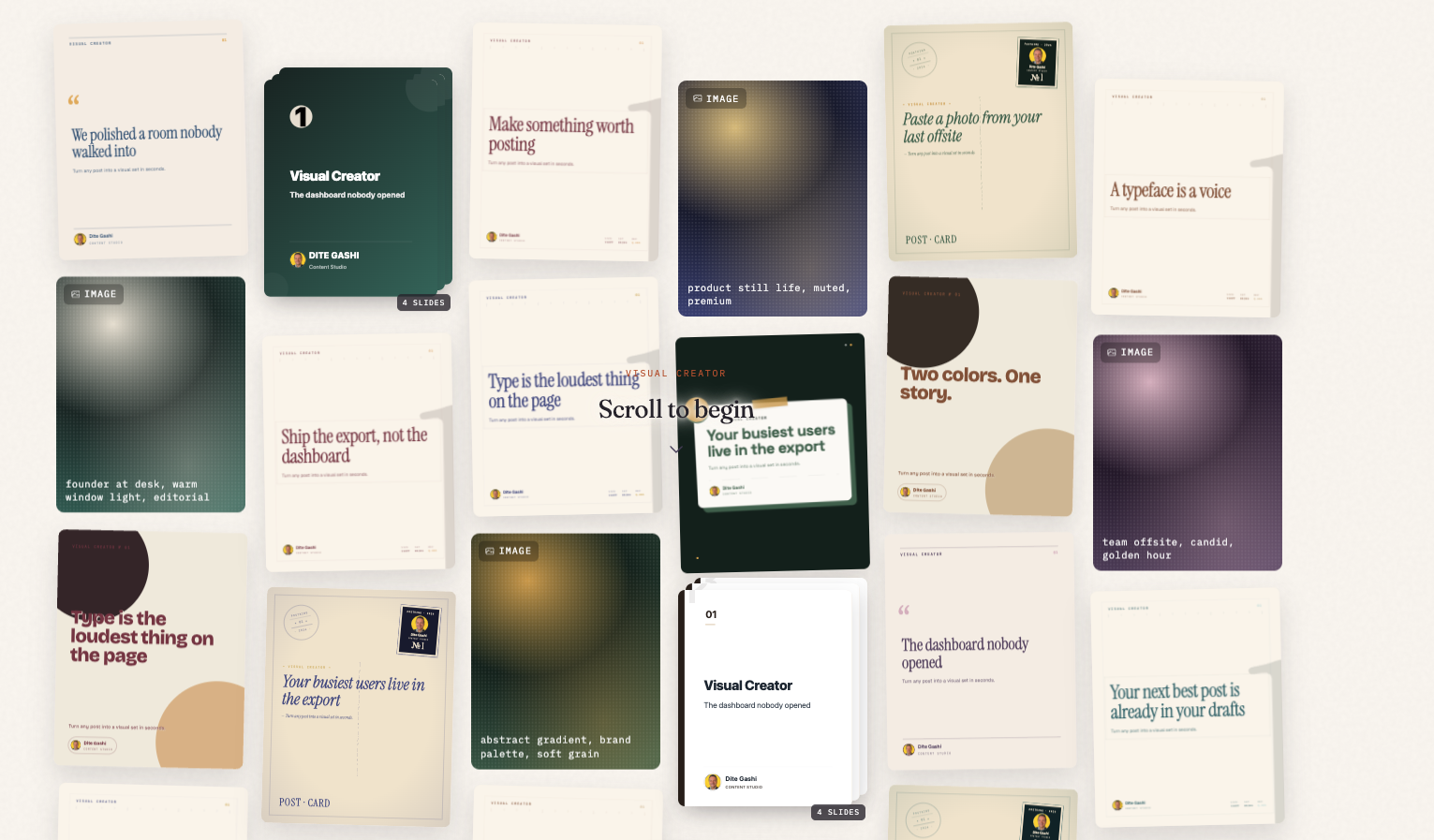
Visual Studio View
Building a product is hard enough. Then someone tells you that you need to publish 3 blog posts a week, stay consistent on social, and somehow make it all feel on-brand. (Sure. Easy. No problem.)
I founded PostKing after years of full-stack development work where distribution was always the part that slipped. Not because the writing was bad, but because the process was fragmented. You'd draft something, lose track of where your brand guidelines lived, second-guess the tone, tweak the formatting for the fifth time, and eventually publish something that felt like it came from a different company than your homepage.
PostKing 0.2 ships with a feature we're calling Visual Studio, and it's built to close that gap.
The Real Problem with Content Automation
Most content tools treat brand identity as decoration. You paste in a logo, pick a font from a dropdown, and call it done. The actual writing still comes out generic, the structure still follows whatever default template the tool ships with, and the result reads like it was made by the same machine that made everyone else's content.
For indie founders and small teams, this is a real cost. Content marketing only works if people can tell it's yours. According to research published through the Content Marketing Institute, brand consistency across channels increases revenue recognition by a meaningful margin, and audiences form trust through repetition of voice and style, not just repeated exposure to a logo.
The problem isn't automation itself. The problem is automation without context about who you are.
What Visual Studio Is
Visual Studio is PostKing's brand-aware content editor. It's the environment where your posts get written, structured, and previewed before they publish, and it's built around the idea that your brand identity should live inside the editing experience, not in a separate style guide document you have to check manually.
When you set up your PostKing workspace, you define your palette, typography, tone rules, and content patterns. Visual Studio pulls all of that into the editor. So when you're drafting a post, you're working inside your brand, not alongside it.
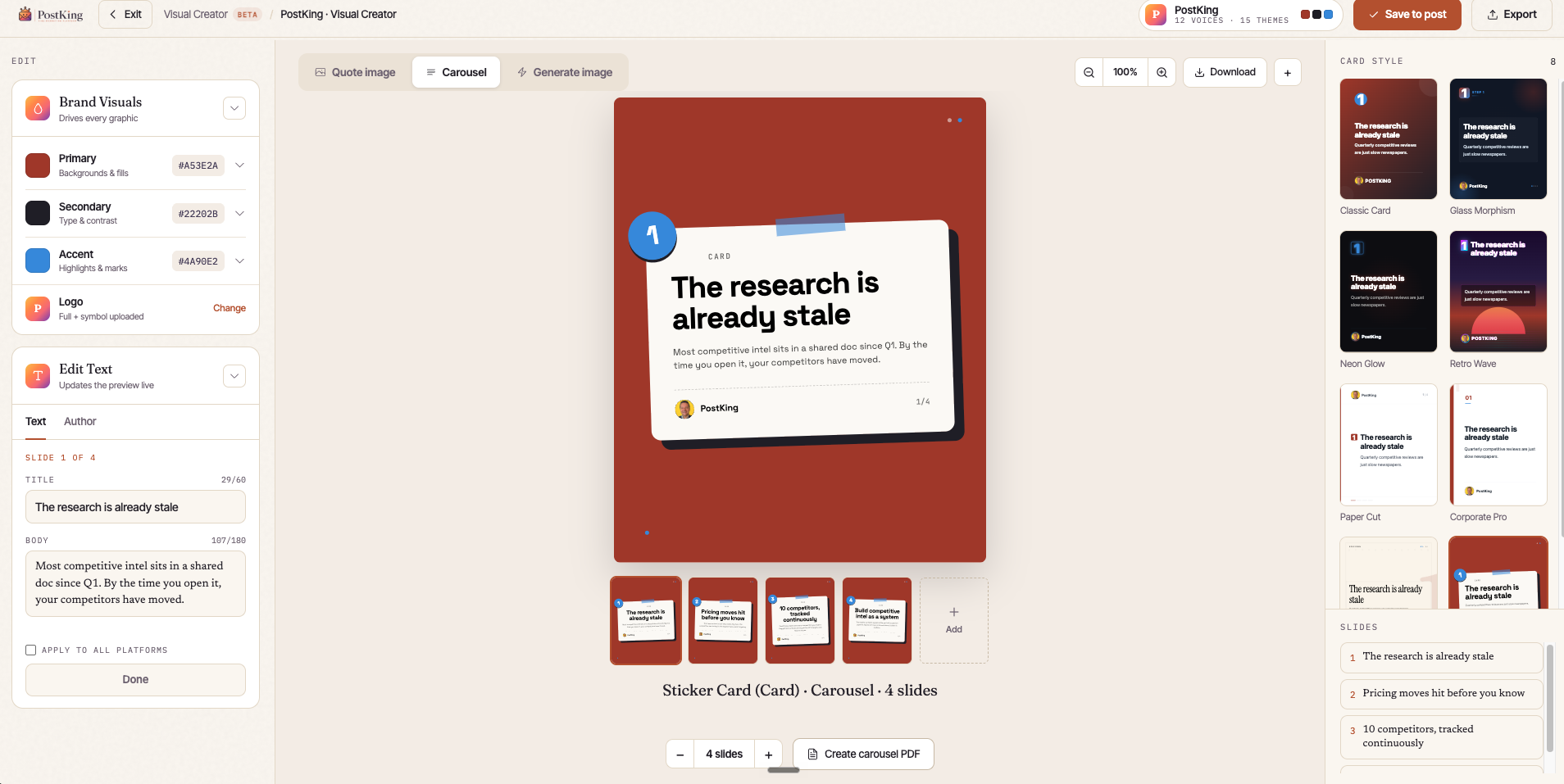 Editing a post inside Visual Studio, with brand colors, fonts, and tone applied live as you write.
A few things it handles include:
- Live brand preview: You see your post rendering in your actual brand styles as you write, not in a generic editor view.
- Tone guidance built into the AI writing layer, so generated content reflects your documented voice rules.
- Structured content blocks that match your established post formats, so every article follows a consistent hierarchy without you manually enforcing it each time.
It's not trying to be a replacement for judgment. It's scaffolding that makes the right output the path of least resistance.
How It Fits Into the 0.2 Release
Version 0.2 is PostKing's first major feature expansion since the initial launch. The broader release focuses on tightening the loop between brand setup and content output, and Visual Studio is the centerpiece of that.
Other changes in 0.2 include improvements to the publishing scheduler, better multi-channel preview support, and some structural changes to how brand profiles are stored and applied. But Visual Studio is the part that changes the daily editing experience.
Before 0.2, PostKing would generate content based on your settings and then hand it off to you for editing in a fairly plain interface. The generation was brand-aware in theory, but the editing environment wasn't. You could drift from your own guidelines without realizing it until you looked at the published post next to an older one.
Visual Studio keeps you anchored. It's that simple.
Practical Examples: What Changes in Practice
For a SaaS Founder Publishing Weekly
Say you're publishing a weekly product update post. Before Visual Studio, you'd generate a draft, open it in whatever editor you use, format it manually, check that the heading sizes looked right, and then publish hoping it matched last week's post. With Visual Studio, the draft opens inside your brand template. Heading hierarchy is pre-set. Font choices match your defined typography. You edit the content, not the formatting.
For an NGO Managing Multiple Contributors
Multiple writers mean multiple interpretations of "our tone." Visual Studio surfaces your documented tone rules inline as contributors write, which catches drift before it gets to publish. The live preview shows how the post will actually render on your site, so there are no surprises about spacing, color, or layout after the fact.
For an SME with No Dedicated Marketing Team
When you don't have a content strategist on staff, brand consistency tends to erode slowly over months. Visual Studio acts like a persistent editorial memory, keeping the structure and feel consistent even when the person writing changes or the publishing frequency fluctuates.
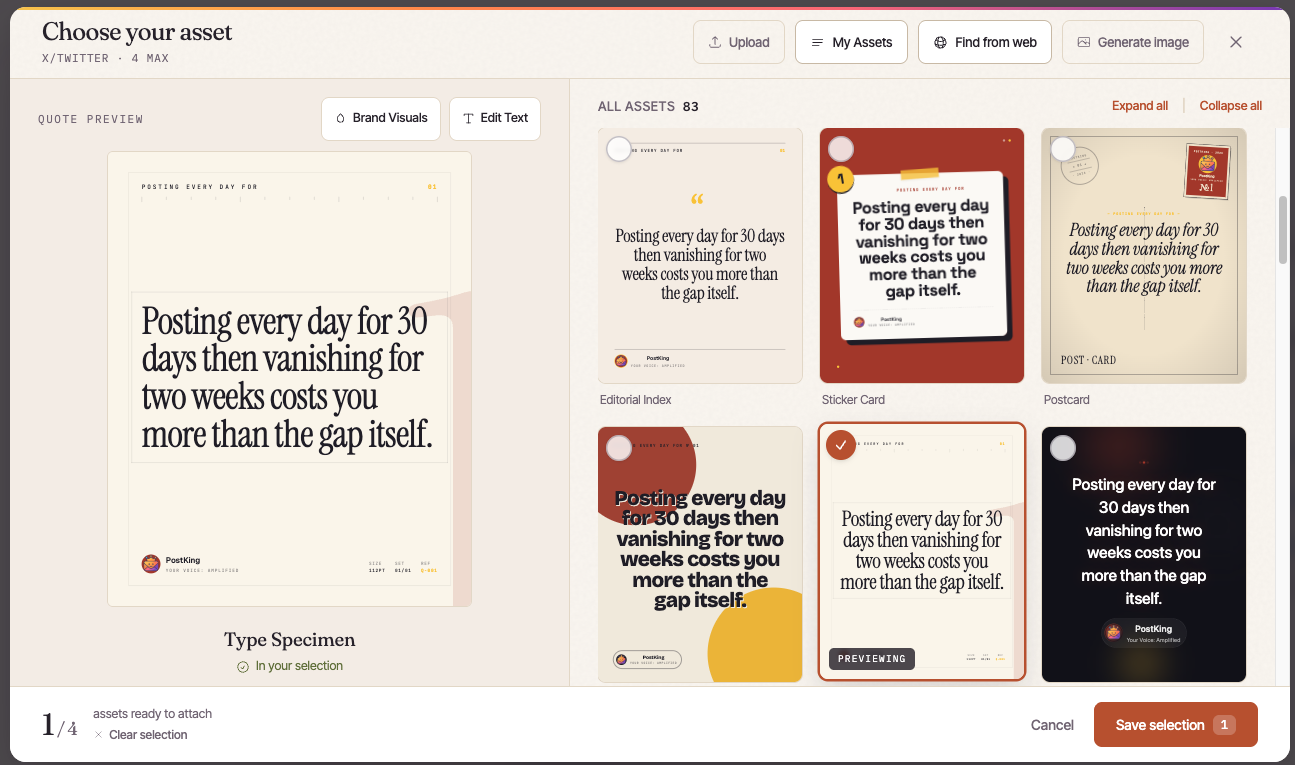 Picking a brand-matched template and assets directly inside Visual Studio, no separate design tool required.
Getting Started with Visual Studio
If you're already on PostKing, updating to 0.2 is handled through your account dashboard. Visual Studio activates automatically once your brand profile is complete.
If your brand profile is incomplete (missing typography settings or tone rules), Visual Studio will still load but will flag the gaps so you know what to fill in. Worth spending 20 minutes getting the profile right before you start drafting, because that's what the whole thing keys off of.
A few setup tips that will save you time:
- Define at least 3 tone descriptors in your brand profile. Single-word descriptors like "professional" are too vague; something like "direct, no-filler, technically specific" gives the AI layer more to work with.
- Upload a sample post you're proud of. Visual Studio can infer structural patterns from existing content.
- Set your heading hierarchy preferences explicitly. If you prefer H2 for main sections and H3 only for sub-points, say so, because the default is sensible but it's still a default.
Google's developer documentation on structured content and semantic HTML is worth reading if you want your published posts to perform well in search, since Visual Studio's output is clean HTML and how you structure it matters for indexing.
What to Expect as You Use It
The first post you write in Visual Studio will probably still take the same amount of time as usual. You'll be getting oriented. The second and third posts are where the time savings show up, because the environment is already calibrated and you're editing content rather than rebuilding structure from scratch each time.
In our experience, the biggest shift isn't speed, it's consistency. Posts start looking like they belong to the same publication, which is the thing that actually builds reader trust over time. That's what we were chasing when we built this, and it's what I wish I'd had during years of shipping products without a real content system behind them.
PostKing 0.2 is available now. Visual Studio is part of all plans. If you're setting up for the first time or migrating from another tool, the onboarding flow in 0.2 has been updated to walk you through brand profile setup before anything else, which is the right order to do it in.
Start there, get the profile right, then open the editor. The rest follows.
About Dana Willow
Author
Senior Marketer sharing 15 years of marketing wisdom through an AI lens. Teaching founders to automate smarter.


